In China, when purchasing a new PC, most users simply need to press the power button and follow the on-screen prompts to activate the pre-installed operating system.
However, for users who require a multilingual environment, they often encounter a frustrating issue: Why is it impossible to switch the display language in the system settings? Why can’t the language packs be downloaded?
The core reason behind this lies in the unique Windows licensing policy specific to the Chinese market.
This article will provide a detailed breakdown of the differences in Windows system licensing in China.
* Information accurate as of May 2026

The Windows operating system is available in several editions, such as Windows Home, Windows Pro, Windows Enterprise, and Windows Education, among others.
Among these, Windows Home and Windows Pro are the ones we encounter most frequently in both daily life and work.
Even in Japan, Europe, and North America, these two remain the most widely adopted and ubiquitous editions.
However, within China, the edition specifically tailored for the local market “Windows Home China” is far more prevalent.
In terms of functionality, this edition is virtually identical to the standard Windows Home, with the sole difference being its restrictions on language switching.
| Project | Windows Home China | Windows Home | Windows Pro |
| Availability in the Chinese Market | ○ (Standard retail) |
○ (Product key only) |
○ (Product key purchase or OEM custom order) |
| Change the Windows Display Language | × | ○ | ○ |
| Download & Install Language Packs | × | ○ | ○ |
| Switching Input Languages | ○ | ○ | ○ |
| Change Country or Region | ○ | ○ | ○ |
| BitLocker Drive Encryption | × | × | ○ |
| Remote Desktop | × | × | ○ |
| Licensing Risks | None | None | None |
| Target Users | Individual users in a Chinese environment | Individual users in a multilingual environment | Employees of small and medium businesses (SMBs), etc. |
Windows Home China, Windows Home, and Windows Pro differ in their scope of language support and display capabilities.
Taking Japanese as an example, the differences among these editions are detailed below.
| Project/Function | Windows Home China | Windows Home | Windows Pro |
| OS Interface Display in Japanese (Menus, Settings, File Explorer) |
× | ○ | ○ |
| Content Display in Japanese (Web Pages, Documents, Emails, etc.) |
○ | ○ | ○ |
| Japanese Input Method (IME) |
○ | ○ | ○ |
| Regional Format (Date, Time, Currency) |
○ | ○ | ○ |
* In China, PC keyboards universally adopt the US layout, which differs significantly from the JIS keyboard layout commonly used in Japan.
For example, the JIS layout features multiple dedicated conversion keys, and has Hiragana characters printed on the keycaps.
Consequently, Japanese users accustomed to the JIS layout may find the US layout somewhat uncomfortable to use.
Microsoft offers various editions of its Windows operating system globally.
However, for the Chinese market, it has released a special edition — “Windows Home China”, which is optimized and customized specifically for Chinese users.
In China, the vast majority of PCs come pre-installed with Windows Home China from the factory. There are two main reasons for this.
| Project | Details |
| Cost Control | For PC manufacturers (OEMs), the licensing cost of “Windows Home China” is relatively low.
This allows them to better control the overall retail price of the PC and enhance their market competitiveness. |
| Meeting User Needs | Aside from the inability to freely switch display languages, “Windows Home China” is completely identical to “Windows Home” in terms of core functionality.
Furthermore, for the vast majority of Chinese users, a multilingual interface is not a necessity, as the Chinese interface is fully capable of meeting all their daily and office needs. |
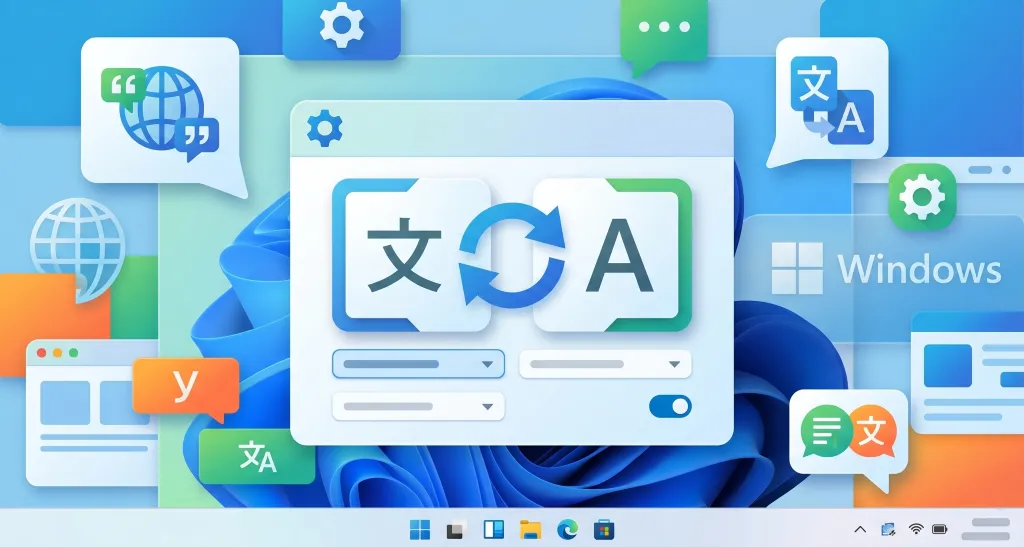
If you need to change the Windows OS display language (e.g., for studying abroad, work reasons, etc.), you can achieve multilingual support by changing your Windows edition through the following three methods.
◆ Official Channels:
You can purchase a product key for “Windows Home” through the “Microsoft official online store” or “Microsoft’s official flagship store on Tmall”.
* The official price is currently set at 1,088 RMB.
◆ Other Channels:
You can also purchase a product key for Windows Home through officially authorized dealers.
Prices may vary between dealers and could even be lower than the official channel price.
However, you will need to verify the authenticity yourself, as there is a risk of purchasing a pirated key that cannot be activated.
◆ Steps:
Open “Settings” → “System” → “About” → “Product key and activation” from the Start menu.
Enter the purchased 25-character product key, then follow the on-screen prompts to complete the process.
◆ Important Notes:
When entering the product key, make sure your Windows is activated with a digital license.
Additionally, if you are purchasing your computer from a physical retail store, you can ask the in-store staff to assist you with this process.
| Microsoft Official Store | https://www.microsoftstore.com.cn/windows/windows-11-home |
| Microsoft’s official flagship store on Tmall | https://detail.tmall.com/item.htm?abbucket=0&id=709061631476 |
◆ Official Channels:
You can purchase an upgrade to Windows Pro directly through the built-in “Microsoft Store” on your PC.
* The official price is currently set at 808 RMB.
◆ Other Channels:
You can also purchase a product key for Windows Pro through officially authorized dealers.
Similarly, you need to pay attention to the legitimacy of the channel and verify its authenticity.
◆ Steps:
① If purchased through the Microsoft Store, the system will automatically recognize the license and proceed with the upgrade. Simply follow the prompts.
② If purchased through officially authorized dealers, the steps are the same as those for changing to Windows Home.
◆ Important Notes:
When entering the product key, make sure your Windows is activated with a digital license.
Additionally, if you are purchasing your computer from a physical retail store, you can ask the in-store staff to assist you with this process.
In China, if you have a specific need for a PC that comes with Windows Pro pre-installed from the factory, you can contact the official sales team of the corresponding brand to place a custom order.
However, because custom manufacturing involves supply chain adjustments and higher OS licensing fees, the overall cost will rise significantly.
For computers with identical hardware configurations, a model with custom pre-installed Windows Pro can cost over 1,000 RMB more than a standard model pre-installed with Windows Home China.
Only purchases made through official channels or officially authorized dealers are fully legal and compliant.
Do not use product keys obtained from unknown sources, non-genuine OS, or third-party activation tools.
These actions violate the license agreement and pose security risks as well as legal liabilities.
Windows Home China serves as a “cost-effective solution” provided by Microsoft for the Chinese market.
We hope this blog post helps you better understand the differences among Windows OS editions in the Chinese market, allowing you to make more informed decisions when purchasing a new PC or dealing with specific language requirements.
| China Market Entry Solutions | https://beyond-shenzhen.cn/en/service/china-market-entry |
For Website Development & WeChat Solutions
▼ WeChat Official Enterprise Account ▼

▼ Contact Inquiry Desk on WeChat ▼

 WeChat Official Account
WeChat Official Account
WeChat Inquiry Desk




 【2026】Public Holiday Calendar for China, Japan, & Singapore