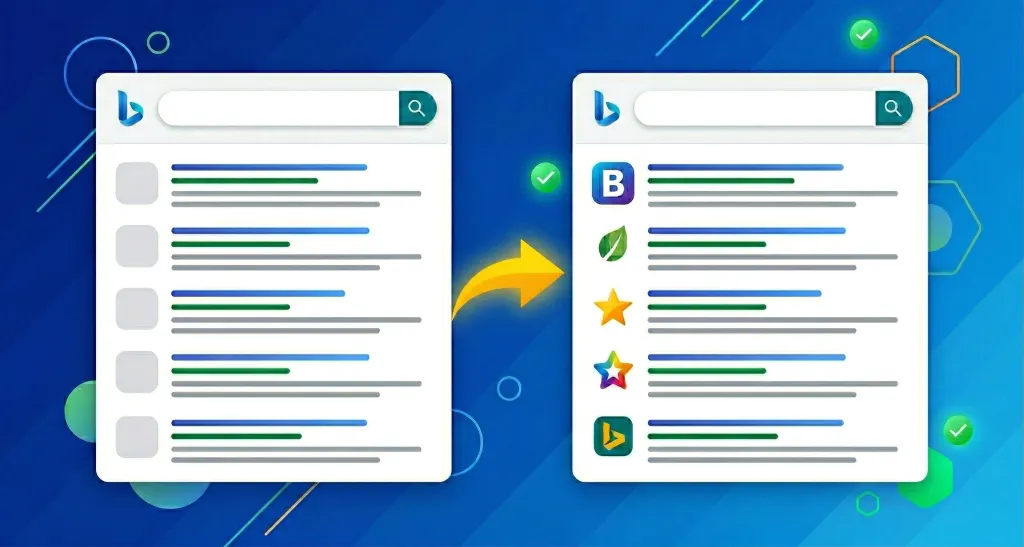
Have you ever experienced a situation where your company’s website appears in Bing search results, but only your own favicon remains displayed as the “globe icon”?
In this article, we will introduce a solution that has actually proven effective for this issue of “the favicon not showing up only in Bing search.”
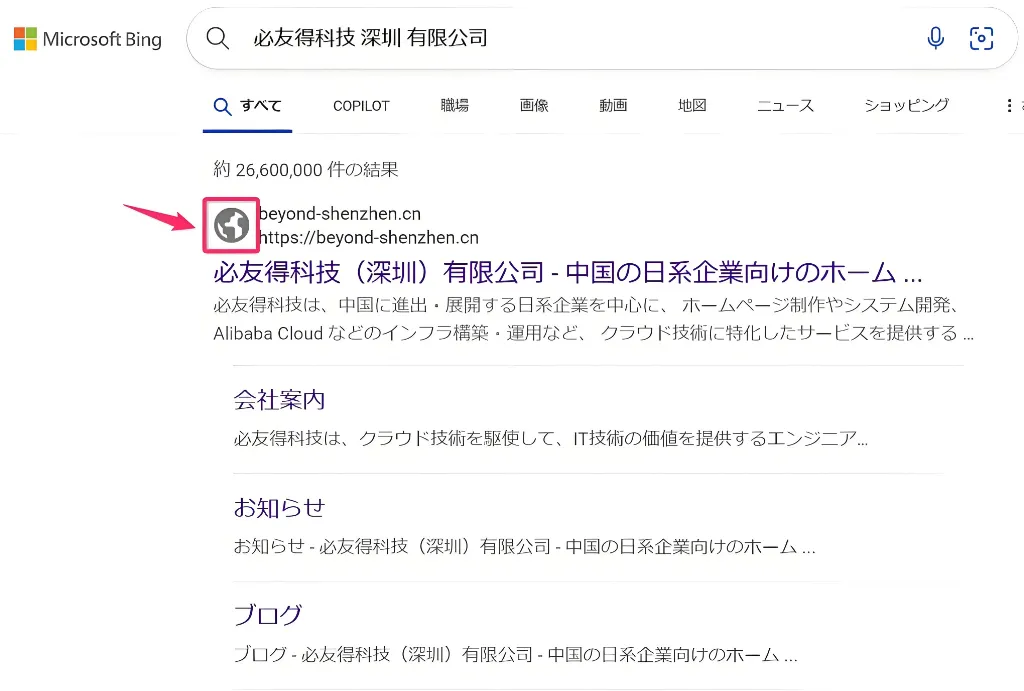
In Bing’s search engine, a common issue occurs: “It displays correctly in Google, but for some reason, it doesn’t show up in Bing” or “It hasn’t improved even months after the site launch.”
In Bing search results for other sites, you often see the default “globe icon” continuing to appear instead of the site’s favicon.
* Previously, our company site experienced the same phenomenon. Even after more than two months since launch, the search results still showed the “globe icon.”
We tried registering the favicon URL as a sitemap in “Bing Webmaster Tools,” but the situation did not change.
Additionally, we found other blog articles mentioning that “there is special HTML code for Bing favicons.” We added that code within the <head> section, but this also did not resolve the issue.
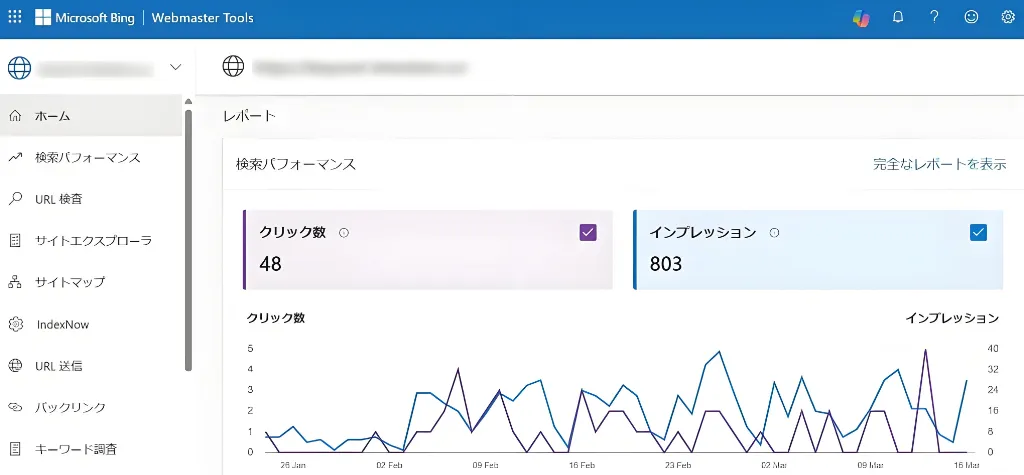
Bing also offers a free site analysis tool called “Bing Webmaster Tools,” which has similar features to Google Search Console.
It is an essential tool for checking and analyzing search performance, backlinks, and more, with features useful for SEO analysis and site operation.
| Item | Overview |
| Search Performance Analysis | Track impressions, clicks, click-through rates (CTR) for each search query, and ranking positions per keyword. |
| Site Health Check | Understand indexing status, crawl errors, submit sitemaps, and check their indexing status. |
| Backlink Analysis | Understand the linking status to your site, plan link-building strategies, and make improvements. |
* Note: The main topic of this article, “How to Display a Favicon in Bing Search,” requires registering an account with Bing Webmaster Tools as shown below.
| Bing Webmaster Tools | https://www.bing.com/webmasters/about |
After that, we searched various other blog articles but couldn’t figure out the cause.
So, as a last resort, we decided to contact Bing Support using our registered Webmaster Tools account.
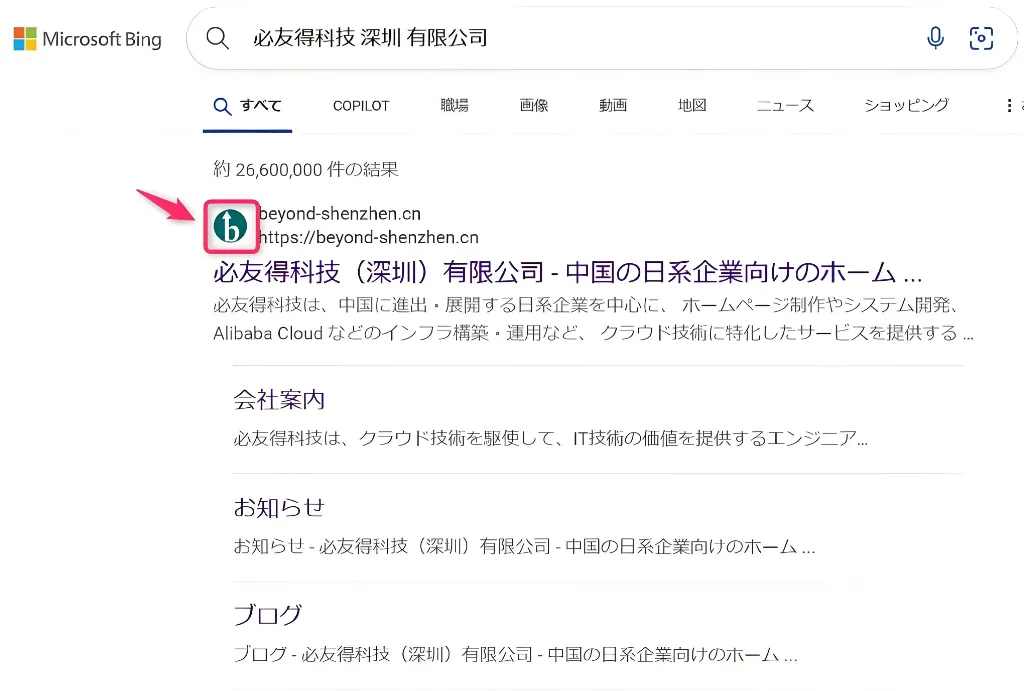
Then, a Bing (Microsoft) support engineer manually fixed the favicon display for us.
* Although some sources mention that the appropriate favicon size is “196 × 196,” sizes like “48 × 48” or “64 × 64” also worked without issue.
Here, we explain the actual steps we took to contact Bing Support and have them manually reflect the favicon.
* Information is current as of March 2025. Contact methods and responses may change in the future.
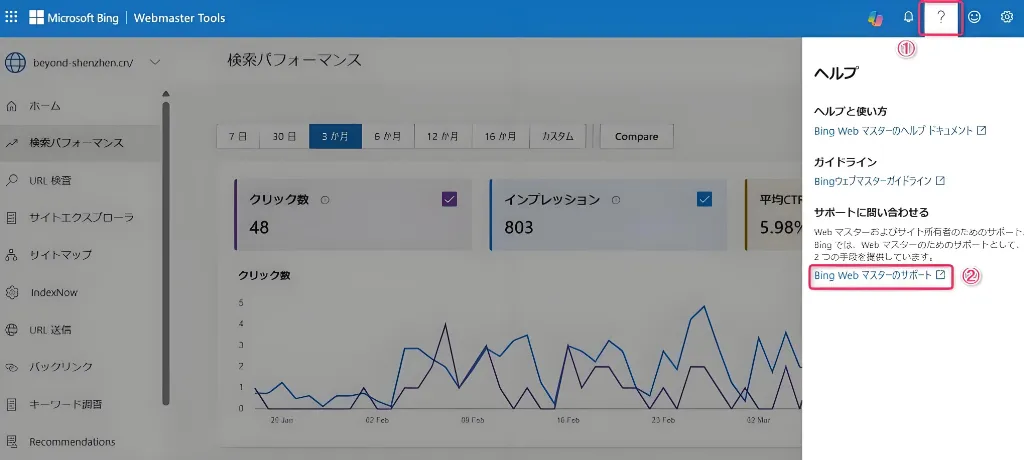
① Click the “?” mark in the top-right corner of Bing Webmaster Tools.
② Click “Bing Webmaster Support.”
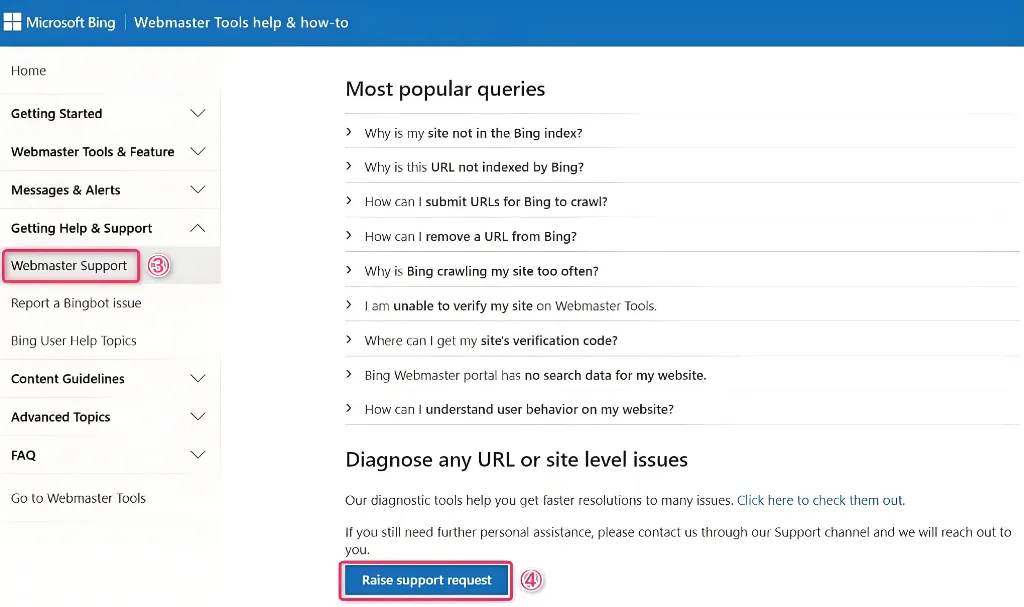
③ In the left navigation menu, click “Webmaster Support.”
④ Scroll to the bottom of the page and click “Raise support request.”
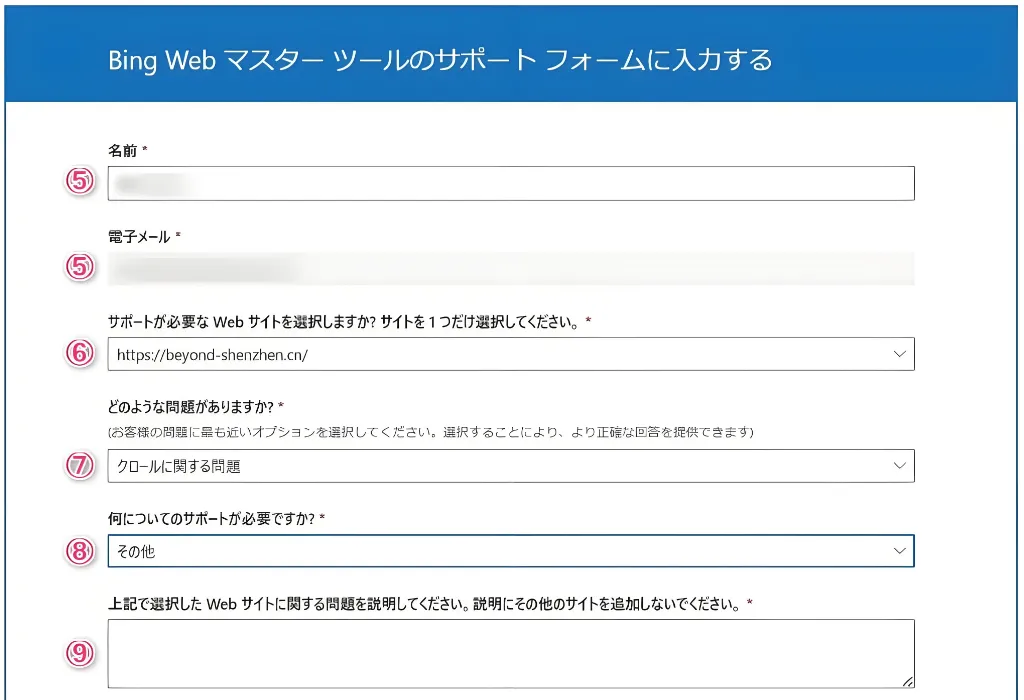
⑤ Enter your name and email address.
⑥ Select (or enter) the URL of the website in question.
⑦ Select “Crawl Issues” (since this is a favicon display problem).
⑧ Select “Other.”
⑨ In the detailed description, enter the issue as a bullet-point list, like the example below:
● Our company’s favicon is not displaying on Bing’s search engine.
● We have implemented favicon code as shown below:
* Example: <link rel=”shortcut icon” href=”https://example.com/wp-content/themes/assets/images/favicons/favicon.ico” />
● Nearly one month has passed since submitting the sitemap via Webmaster Tools, but it’s still not reflected.
● The favicon displays correctly on Google’s search engine.
● Our website uses a CMS (such as WordPress).
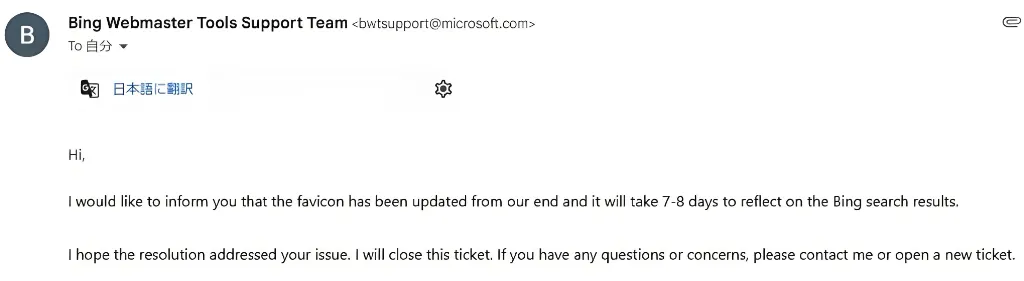
After submitting this request to Bing Support, you will receive an email confirming the favicon update within 1-2 weeks.
While “Google” is overwhelmingly the most used search engine in Japan, Google services are generally unavailable within China.
Therefore, many Japanese companies operating in China adopt “Bing” as their search engine of choice.
* When connecting to Bing from within China, both the “China domestic version” and the “International version” of the search engine are available.
When building a website in Japan, it’s generally sufficient to base SEO strategies on Google.
However, when targeting searches within China, it is also important to incorporate SEO strategies and site analysis tools specifically for Bing.
If your favicon is not appearing in Bing search results and does not improve after trying various methods, the most reliable solution is to directly contact Bing (Microsoft) Support.
We hope this blog article is helpful for website administrators experiencing similar issues.
| Website Development | https://beyond-shenzhen.cn/en/service/website |
| B2B EC Site Development | https://beyond-shenzhen.cn/en/service/ec-site |
For Website Development & WeChat Solutions
▼ WeChat Official Enterprise Account ▼

▼ Contact Inquiry Desk on WeChat ▼

 WeChat Official Account
WeChat Official Account
WeChat Inquiry Desk


 【2026】Public Holiday Calendar for China, Japan, & Singapore