
TenPayGo is a simplified payment app version of “WeChat Pay” provided by Tencent.
Unlike the traditional WeChat app, it does not have chat functions and is specialized for cashless payment, making it a convenient app for foreign tourists visiting China.
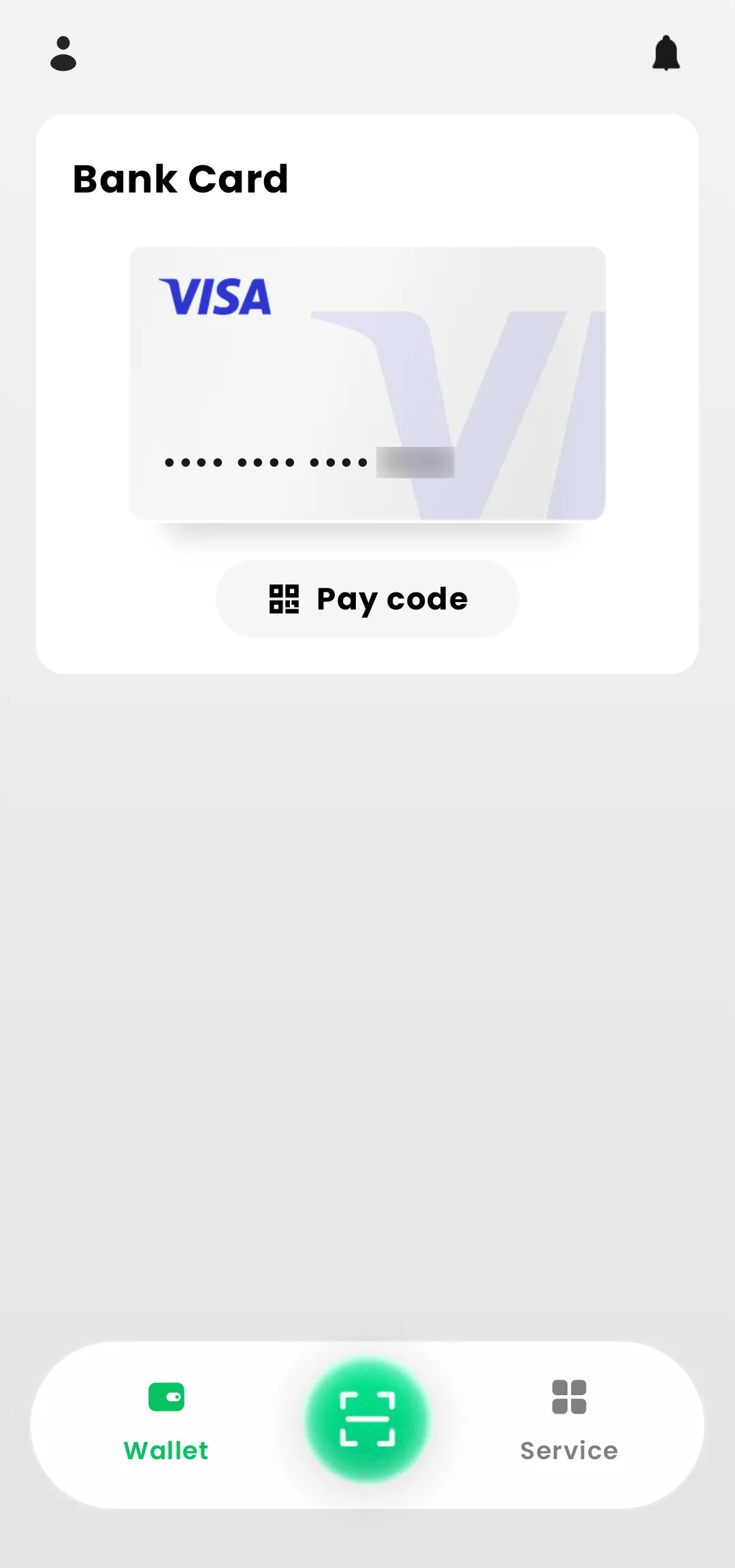
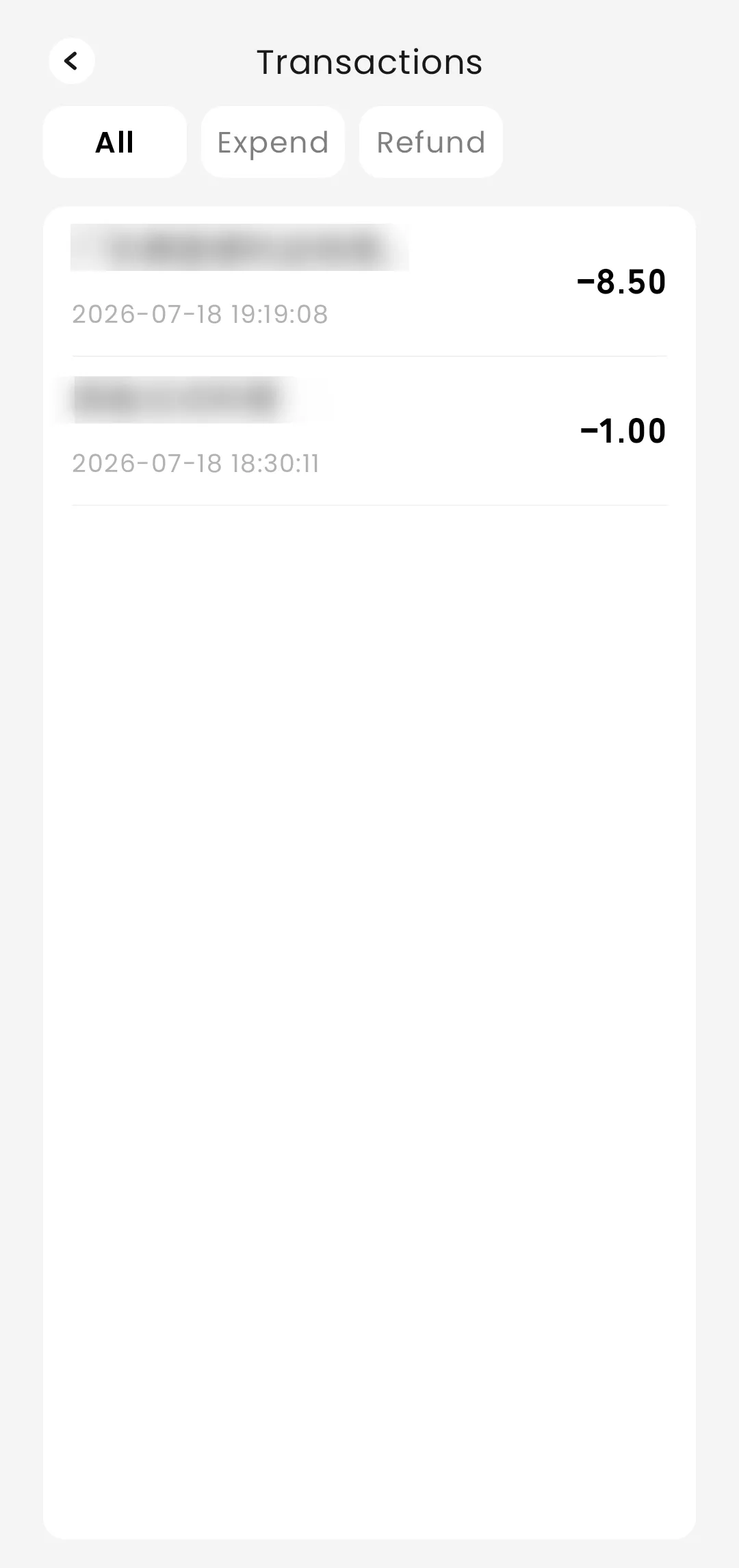
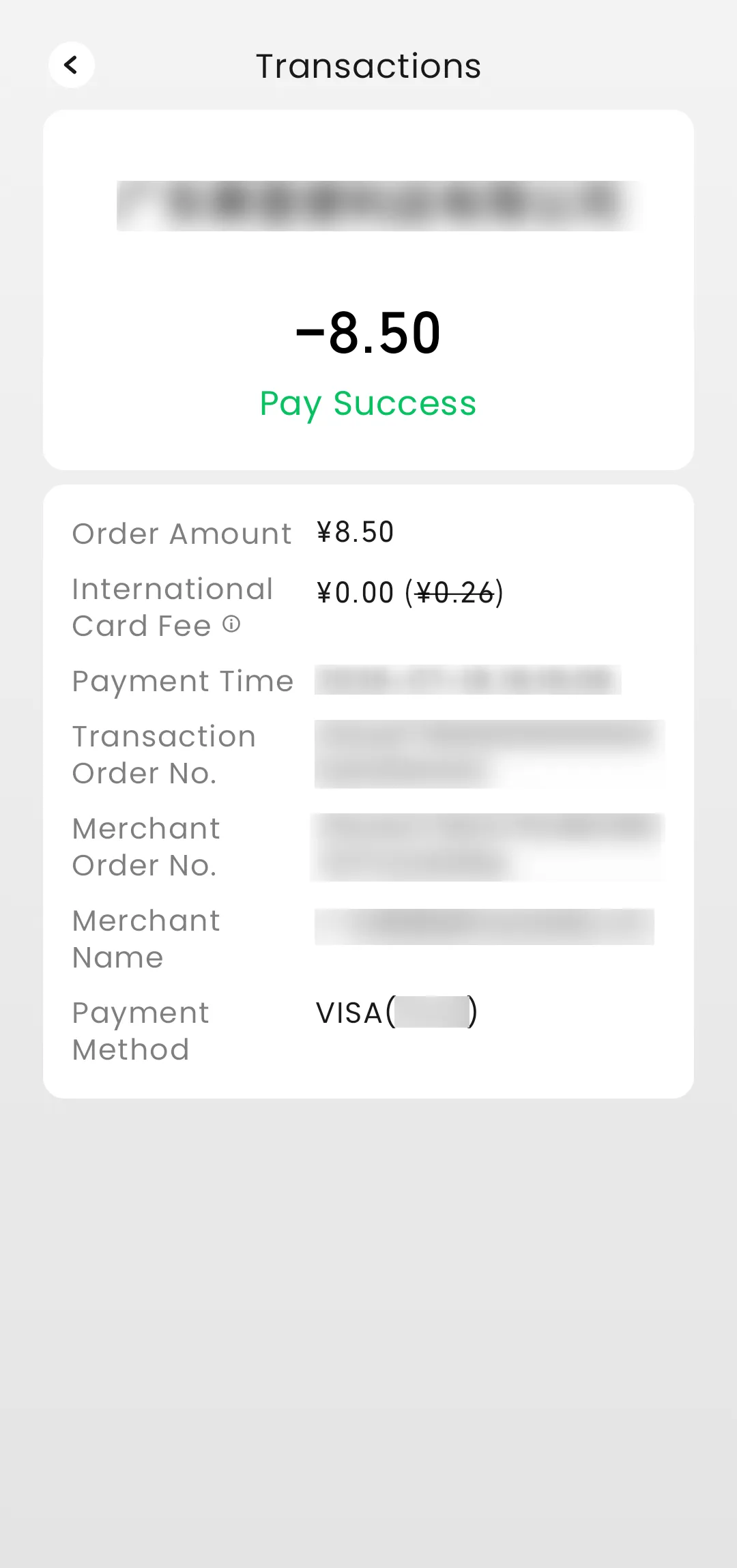
TenPayGo is intended for people who do not reside or work in China long-term, but travel regularly or take short business trips.
While in China, it meets the need of those who do not require WeChat’s chat functions but want to easily use cashless payment within China.
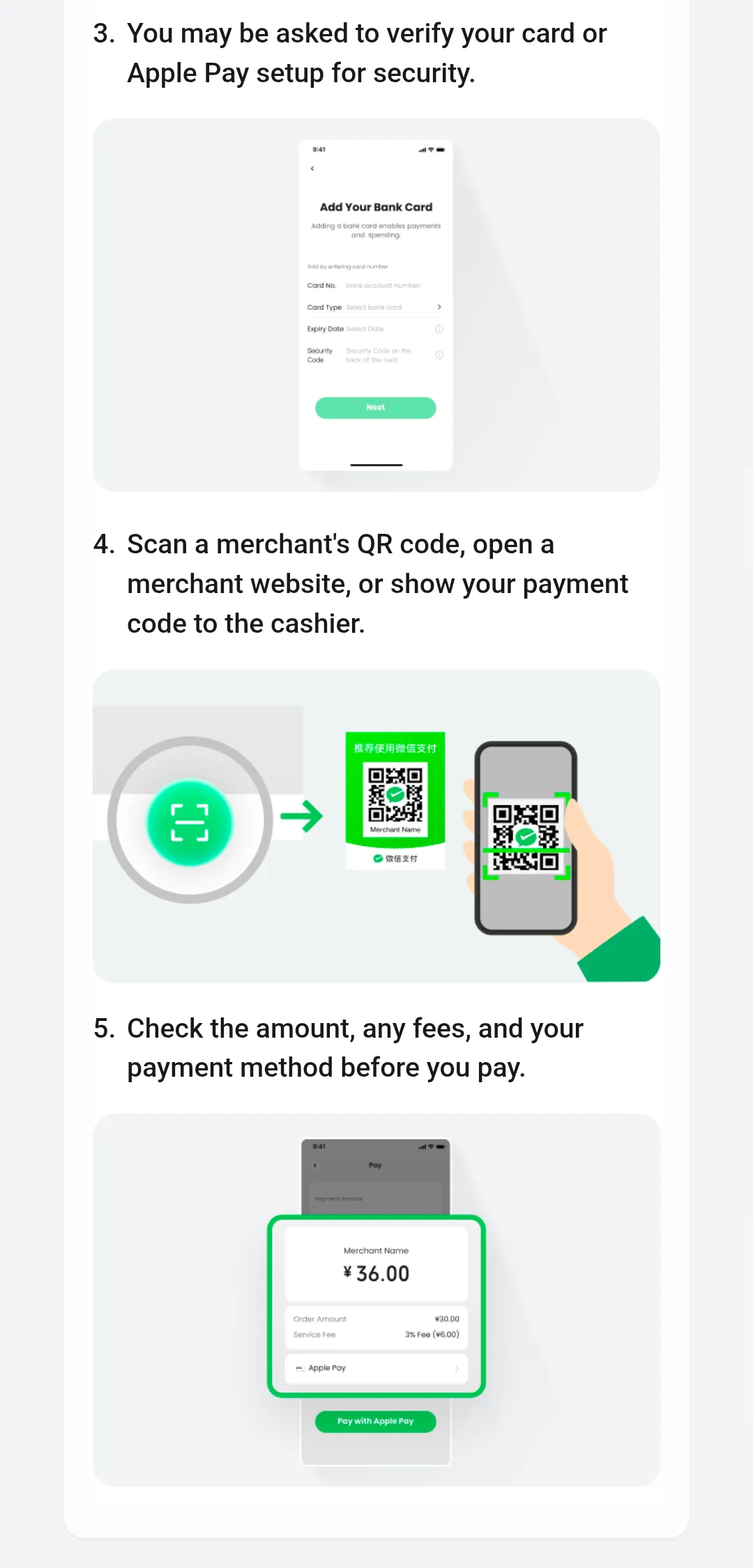
The TenPayGo app can be downloaded from the App Store or Google Play, and can be used simply by linking and verifying your “email address” and “credit card” with TenPayGo.
The app interface is also designed simply, focusing only on payment functions, making it intuitively easy for foreign tourists to use.
| Item | Overview |
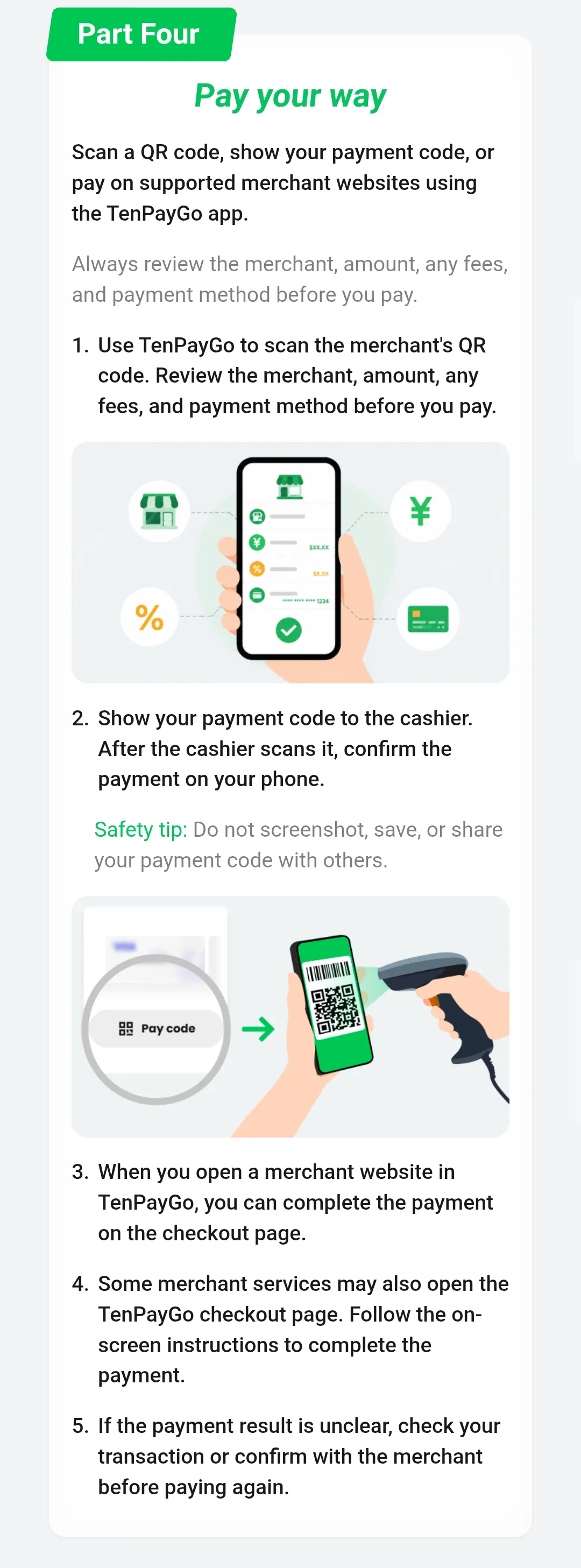
| Payment Methods | Supports both QR code scanning payment and payment code display (merchant scan) methods. |
| Peer-to-Peer Transfers | Does not support peer-to-peer transfer functions.
It is exclusively a payment app for consumption at WeChat Pay affiliated merchants. |
| In-Store Menu Ordering | Since TenPayGo is a payment-focused app, it does not have mini-app (mini-program) features like WeChat.
There is no function to display store menus or place orders within the app, so you must order directly at the store counter and use TenPayGo at the time of payment. |
| Riding Public Transportation | The TenPayGo QR code cannot be used to pass through gates or board subways and buses in China.
This is because it is not compatible with the dedicated WeChat Pay transit QR code “Transit Code (乘车码)”. |
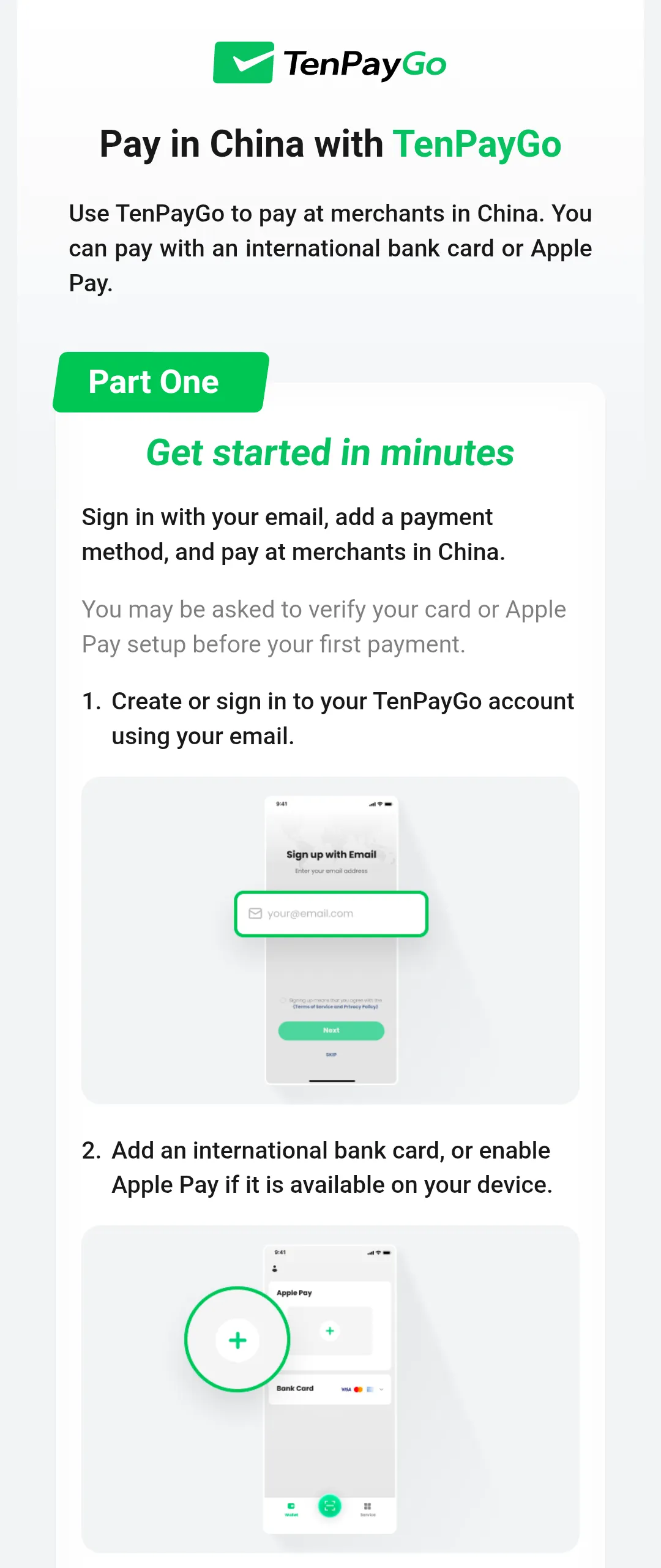
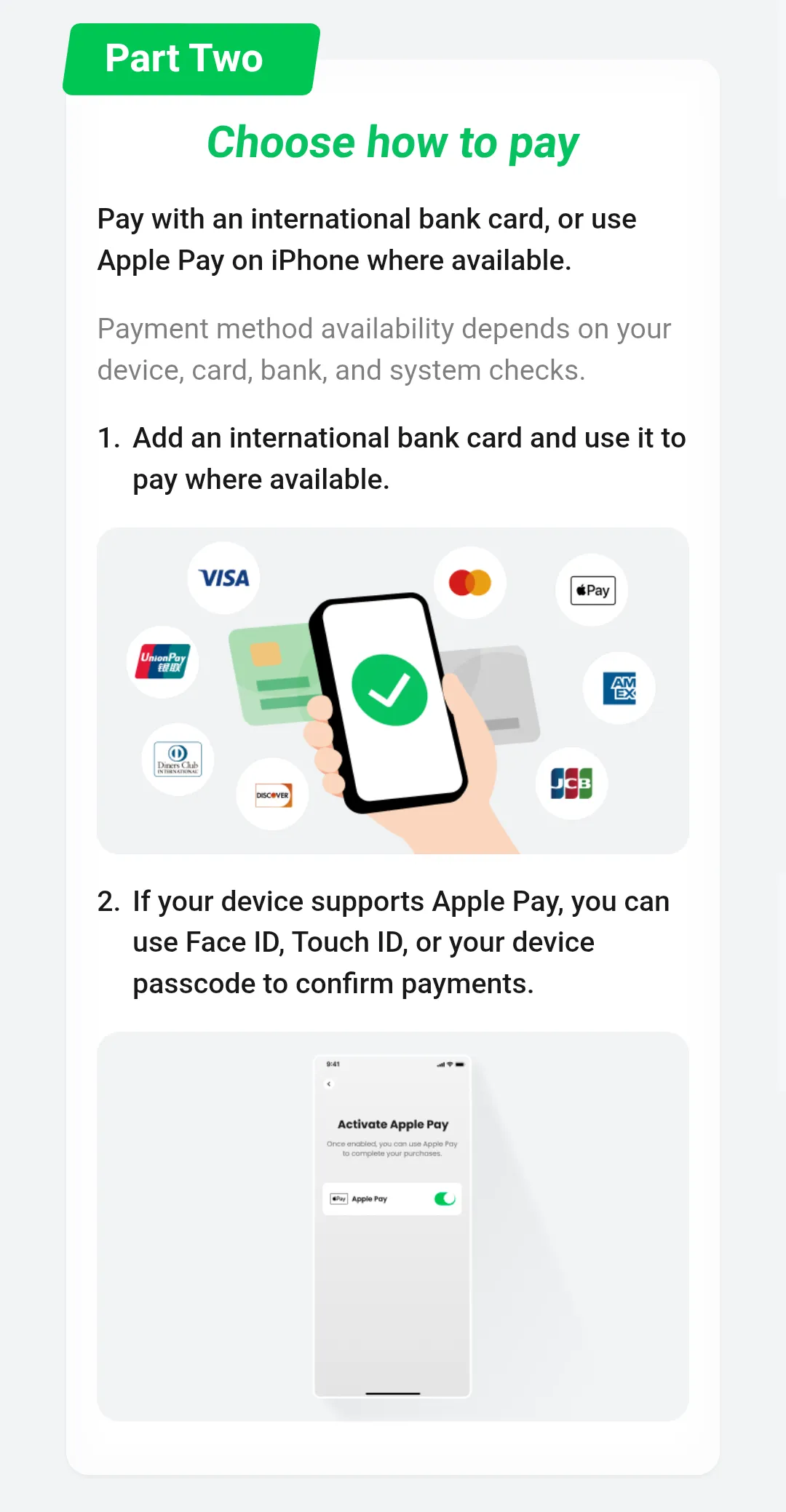
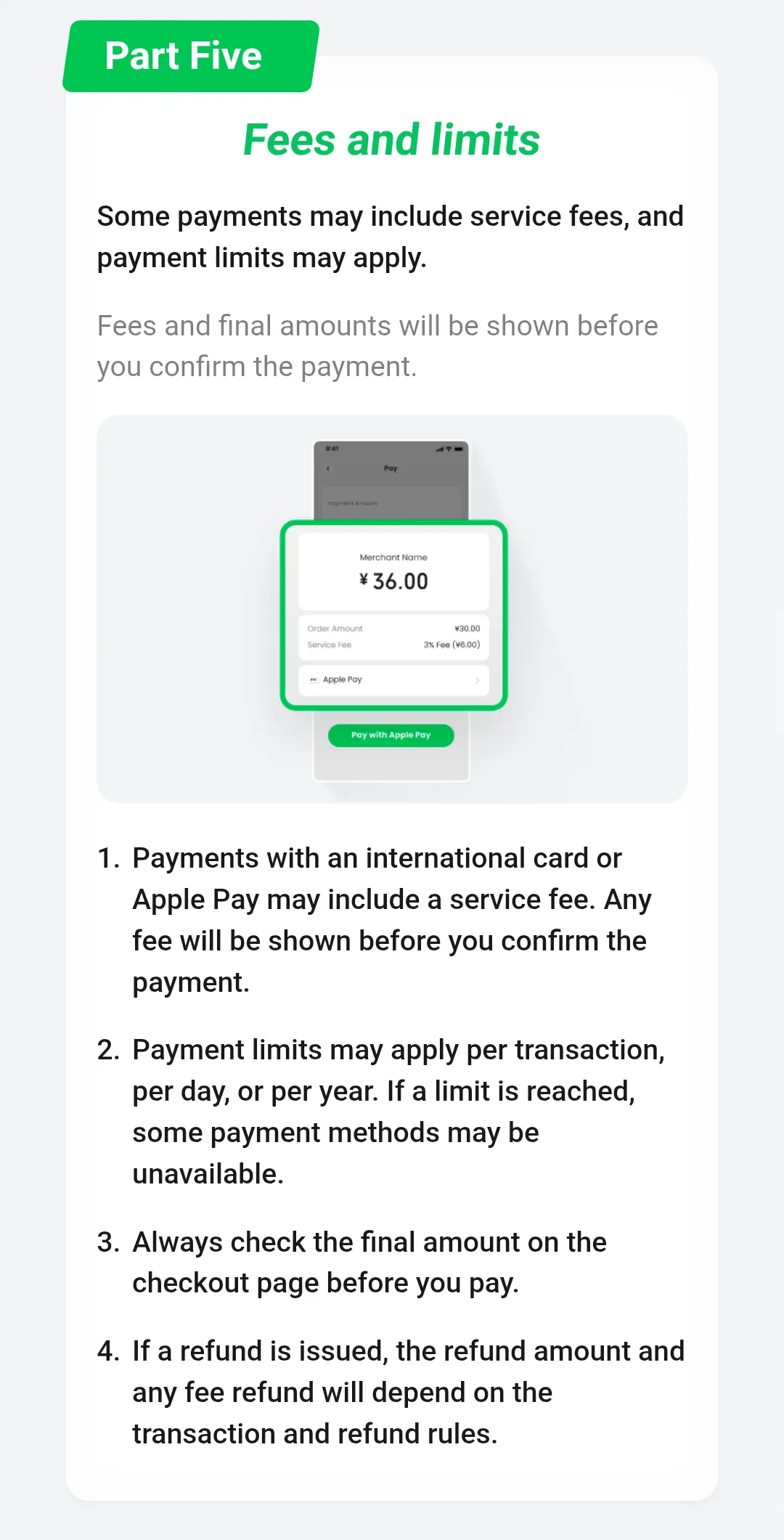
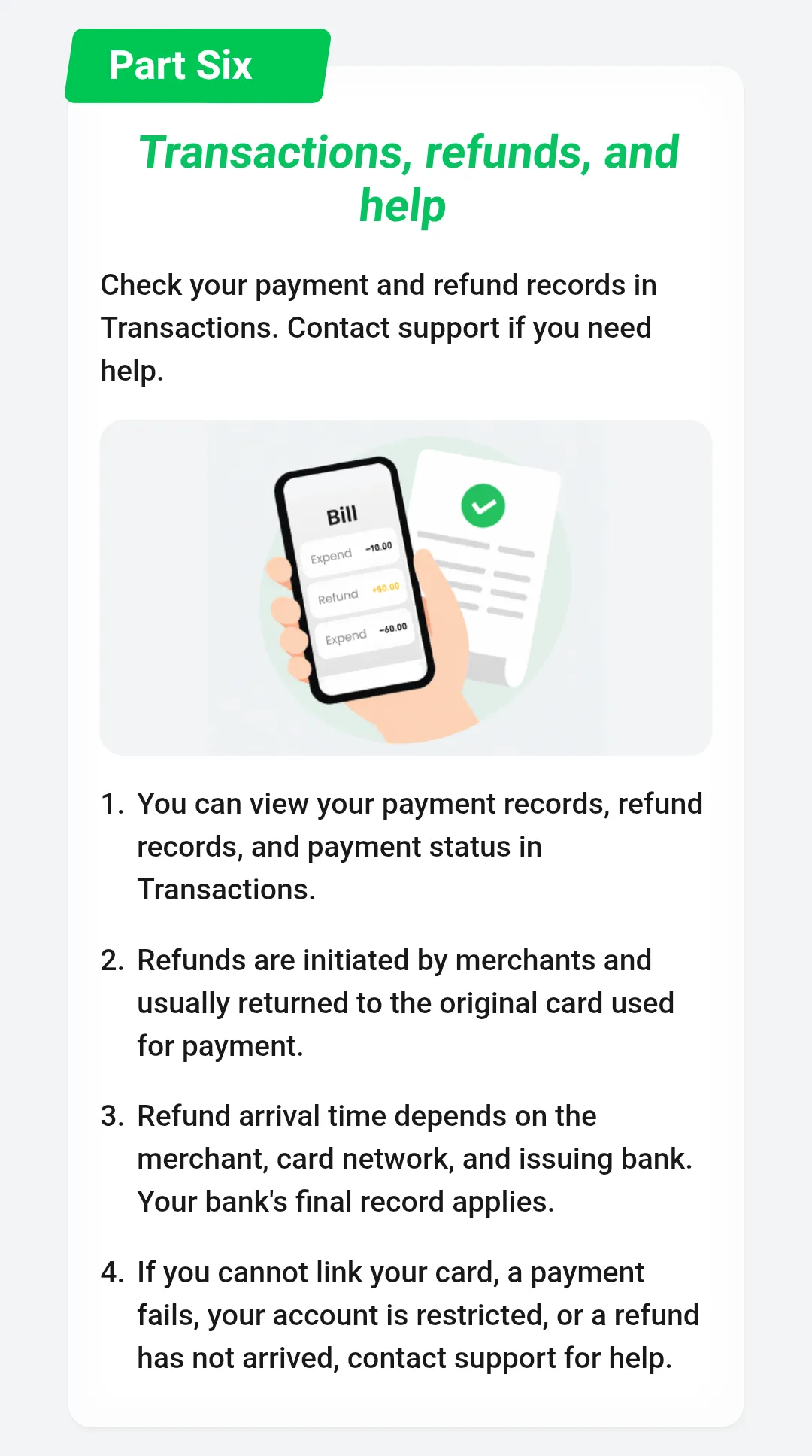
○ TenPayGo cannot be linked or verified with credit cards issued by banks in Mainland China.
You need a credit card issued outside Mainland China (e.g., Japan, Hong Kong SAR, etc.) such as VISA or Mastercard, or Apple Pay.
○ When paying with TenPayGo, you may receive a security notification for “3DS authentication (identity verification)” from your credit card company.
If you receive a 3DS authentication notification, enter the “authentication code” stated in the notification body to complete the payment.
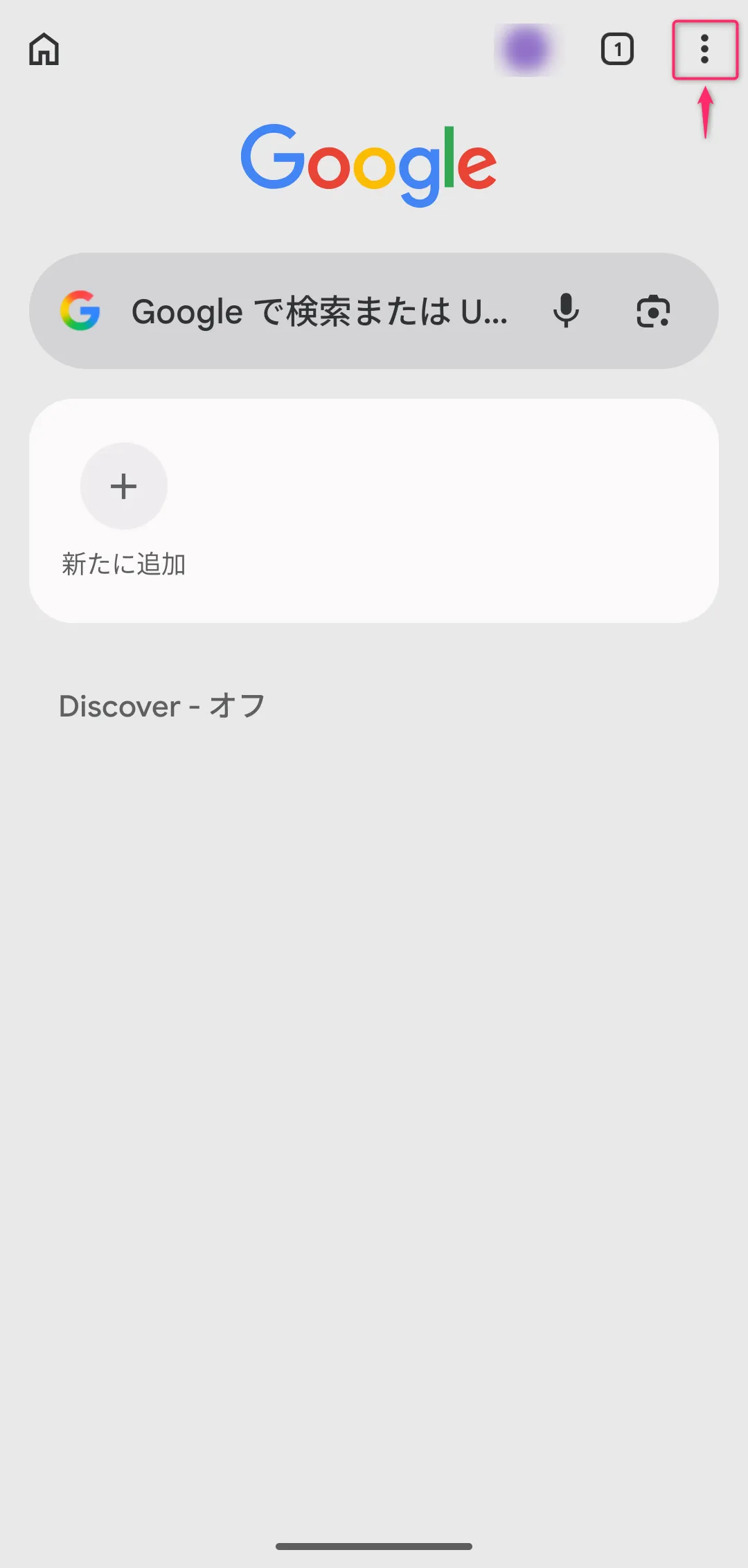
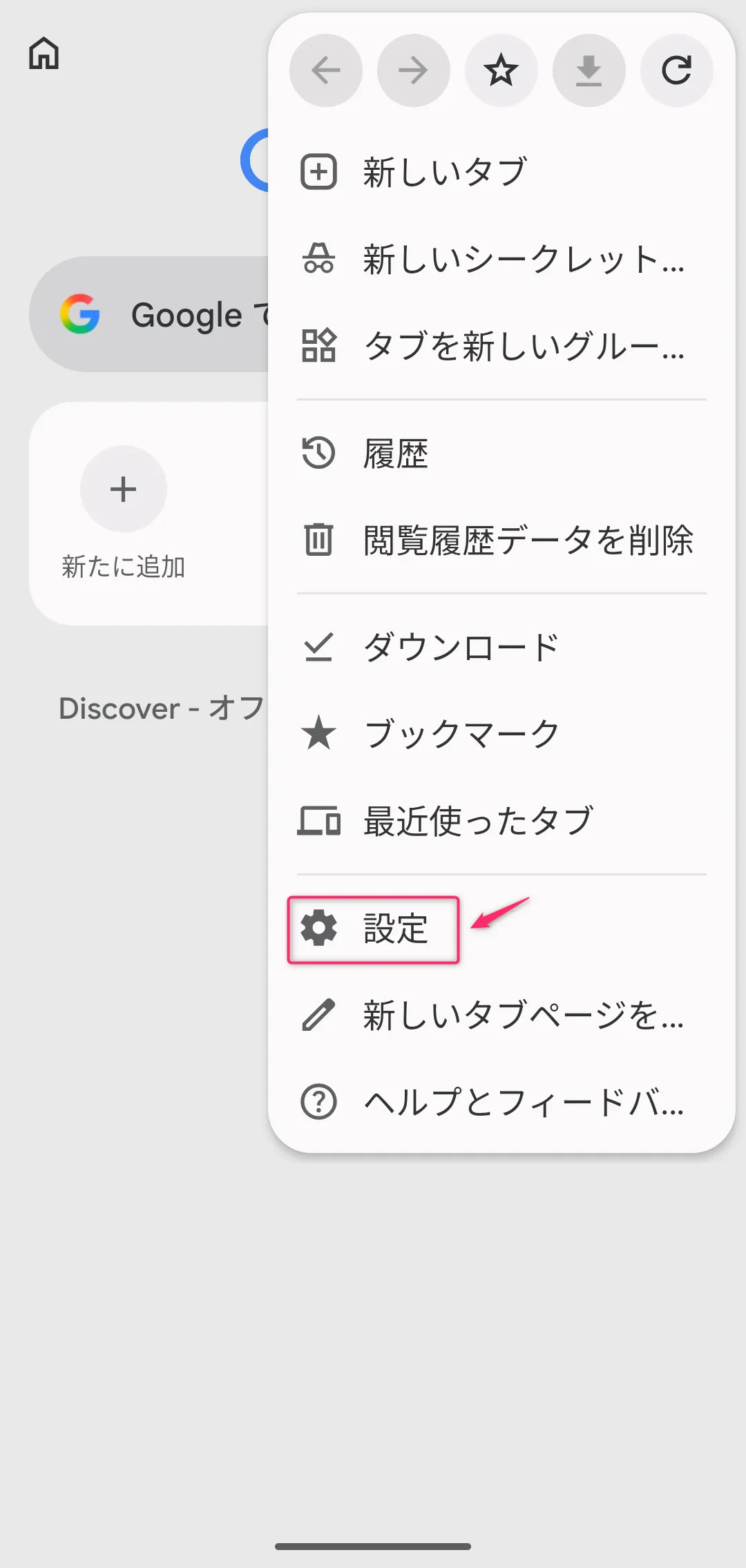
○ When paying with TenPayGo, “pop-ups and redirects” may occur on your smartphone browser.
However, we have confirmed that if pop-ups and redirects are blocked in your smartphone’s browser settings, payment errors do occur.
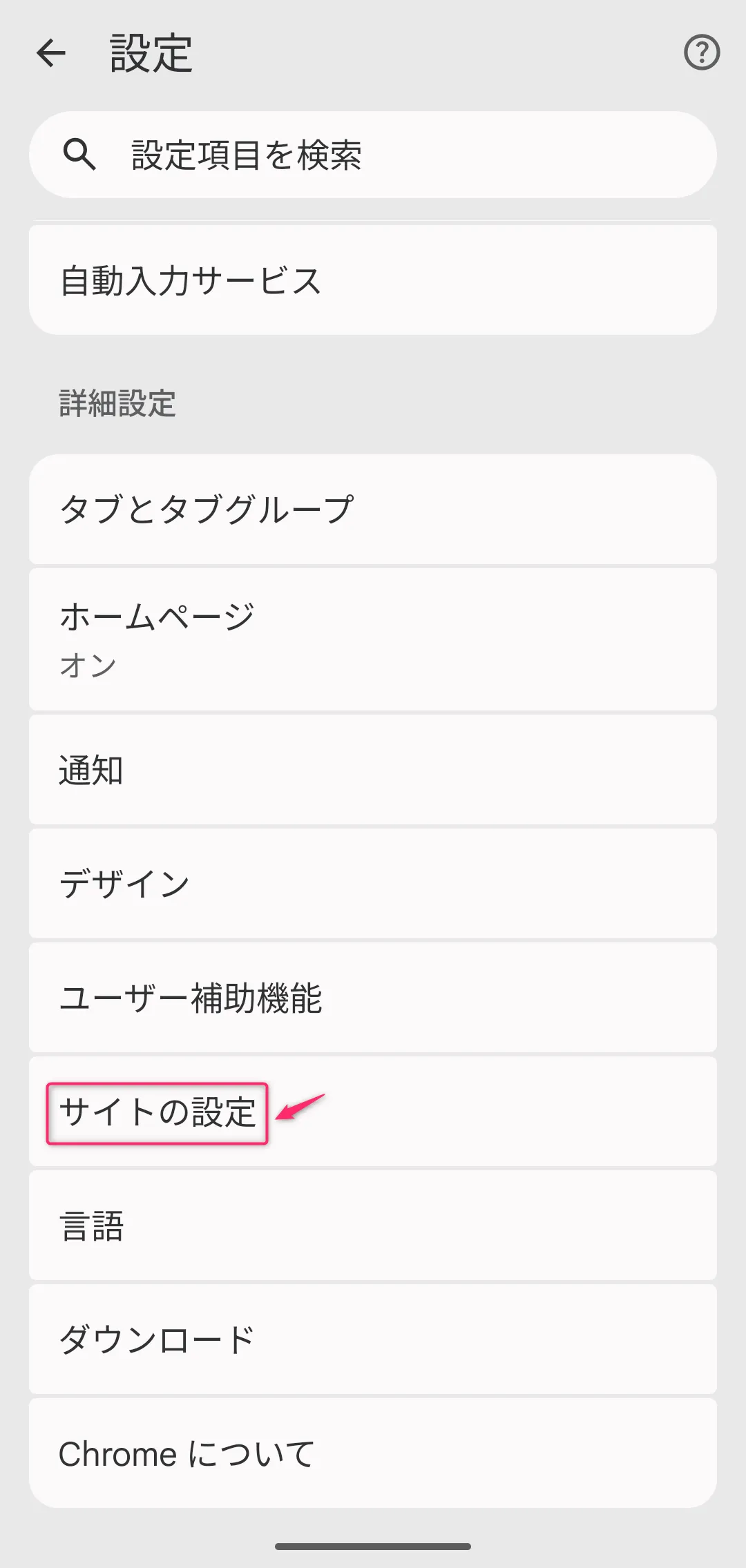
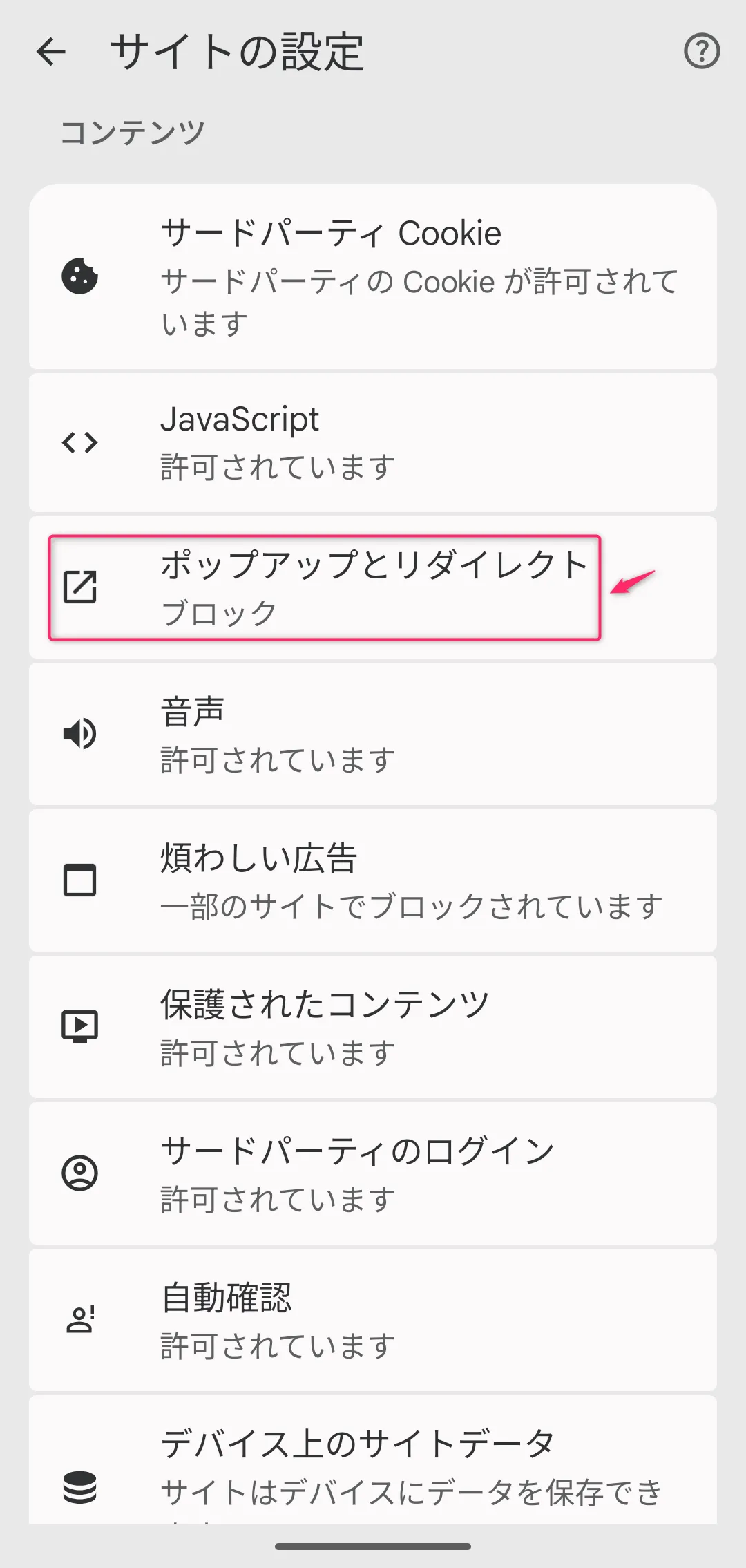
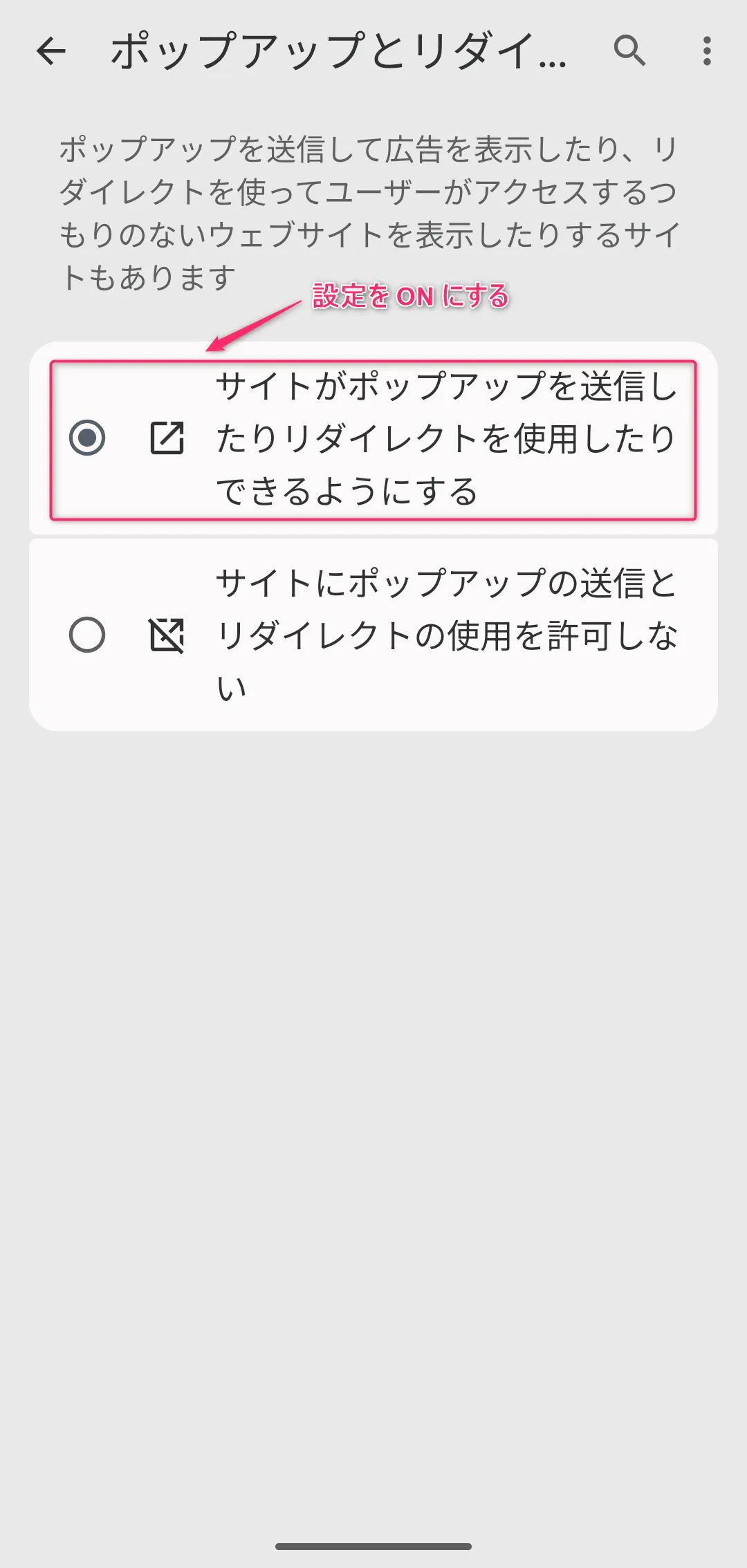
If pop-ups and redirects are set to blocked, please enable pop-up and redirect permissions in your browser settings beforehand.
* Below are the steps to enable pop-up and redirect permissions on Android (Chrome):
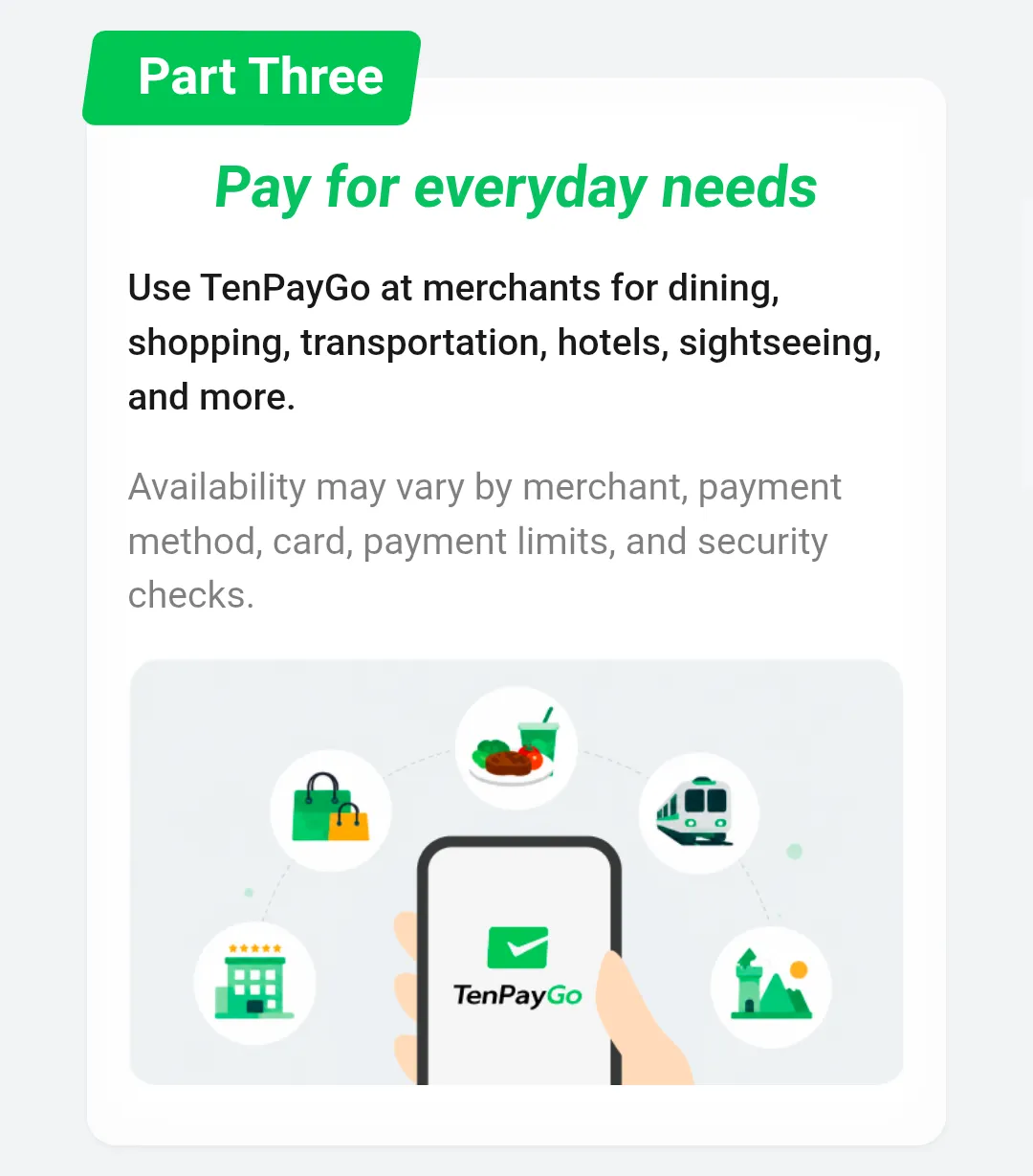
TenPayGo is a convenient cashless payment app for short-term stays in China.
Please download the app and register your credit card before traveling to China, and enjoy a comfortable cashless experience during your visit.
* Information is current as of July 2026. Please refer to official documentation for detailed specifications and the latest information regarding each service.
* This information has been independently researched and verified by our company, but actual performance may vary depending on your smartphone and network environment.
| WeChat Solutions | https://beyond-shenzhen.cn/en/service/wechat |
| China Market Entry Solutions | https://beyond-shenzhen.cn/en/service/china-market-entry |
For Website Development & WeChat Solutions
▼ WeChat Official Enterprise Account ▼

▼ Contact Inquiry Desk on WeChat ▼


 WeChat Official Account
WeChat Official Account
WeChat Inquiry Desk




 【2026】Public Holiday Calendar for China, Japan, & Singapore