I recently encountered an issue on my WordPress site where a specific service page failed to appear in Google search results even after the noindex tag had been removed.
The issue was finally resolved after about three months and I am documenting the steps and checks I performed during that time as a personal record.
I hope this information proves helpful to anyone experiencing the same situation.
Table of Contents
The page URL in question was initially set to noindex for operational reasons when it was first created.
After the original purpose was fulfilled, I removed the noindex tag to return the page to a state where it could be indexed normally by Google.
However, no matter how much time passed, the page did not appear in search engine results.
* By the way, you can check whether a page is indexed by typing “site:” followed by the URL in the search box.
○ Example: site:https://example.com/example/example
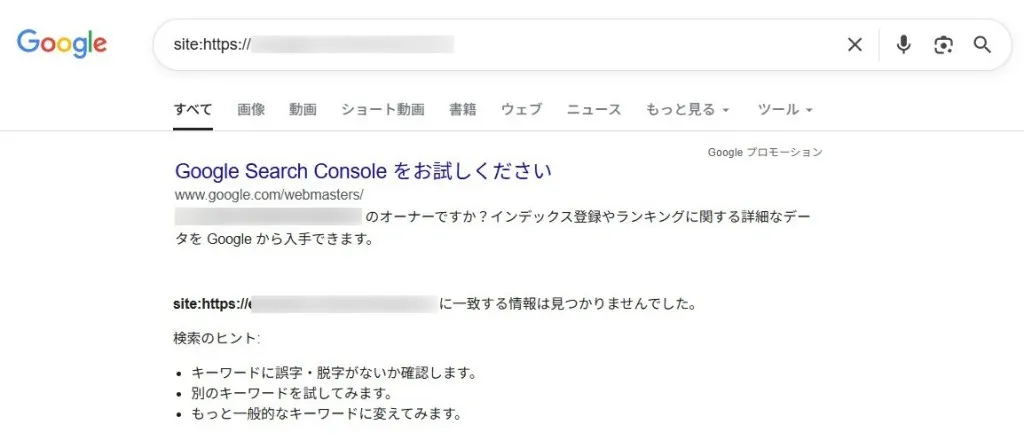
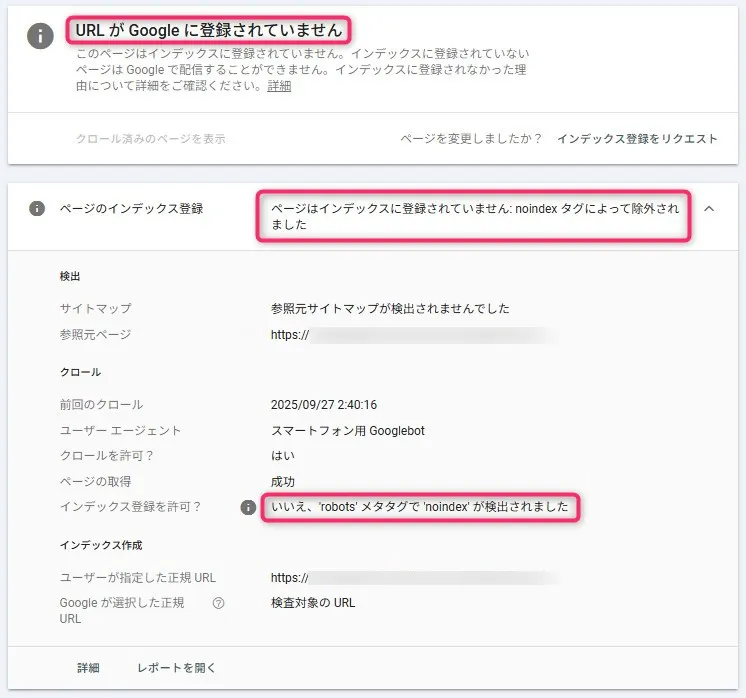
Furthermore, even when checking GSC(Google Search Console), the following results continued for several months.
Page is not indexed. Excluded by ‘noindex’ tag.
Although the target page was not appearing in Google search results, it was being displayed(indexed)normally on the Microsoft Bing search engine.
Therefore, I determined that the issue was not related to “content quality,” “duplicate content competition,” “redirect errors,” or “server” problems.
To determine whether the indexing issue was caused by a configuration error on the page or a delay in Google’s evaluation, I carried out a full range of actions covering both SEO settings and technical factors.
〇 Page status verification
〇 CDN cache
〇 Sitemap related
〇 Internal and external links
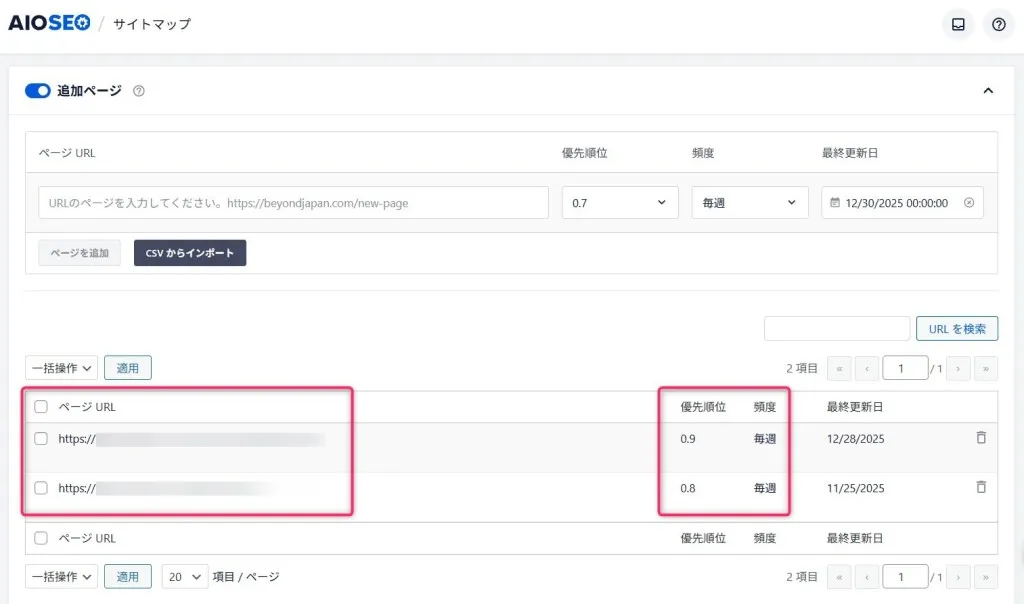
Despite all of this, however, the target page did not appear in the Google search engine.
Even after more than about two months passed, the situation continued where only Google had “no crawling,” was “not indexed,” and the “status did not change.”
However, what I realized at this point was that “Google retains noindex history for a very long time.”
While Microsoft Bing seems to re-evaluate relatively quickly, Google seems to be quite slow in re-evaluating “pages that were noindex in the past.”
After a while, one day suddenly, the target page appeared in the Google search engine, and the status in GSC (Google Search Console) had also changed to “Indexed.”
Although I had not made any major configuration changes at that point, it was likely a “re-evaluation by Google due to the passage of time.”
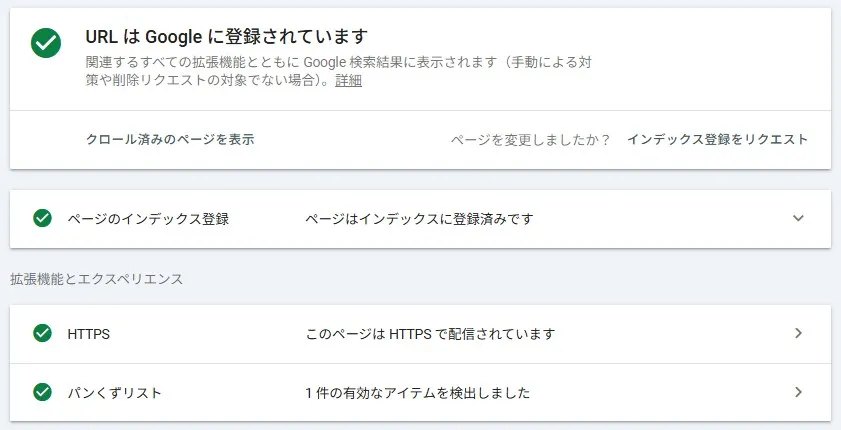
I will summarize the lessons learned from this experience and the best practices to follow when facing a similar situation.
| No. | Item | Summary |
| ① | Be cautious when setting noindex even for a short period | If you set noindex on a target site or page even once, Google may remember that history for a long time. |
| ② | If it appears in other search engines (such as Bing), it is not a site or page quality issue | If the site or page fails to appear only in the Google search engine, Google-specific history and evaluation logic are having an effect. |
| ③ | After correctly configuring the site or page, in the end, you have no choice but to “wait” | When correctly configured, there are cases where “doing nothing and not over-adjusting” becomes the shortest path. |
If you are in a rush to have your page appear in search engines, one possible workaround is to change the page URL itself and implement a “301 redirect.”
However, if external sites are already linking to that page, or if announcements and operations are already based on that URL, changing the URL midway might be difficult.
In such cases, it is better to ensure the site and page are configured correctly and then make the decision to “wait for re-evaluation over time.”
Through this experience, key points regarding the handling of “noindex” and actions for index registration have become clear.
In particular, keep in mind that Google’s indexing process is influenced not only by current settings but also by “past history” and the “passage of time.”
For website creation, server construction/operation
▼ Company WeChat Official Account▼

▼ Contact person in charge WeChat ID ▼


 Follow us on WeChat
WeChat Official Account
Person in ChargeWeChat




 【2026】Public Holiday Calendar for China, Japan, and Singapore