
If your company’s location or address is not displayed on Chinese map apps, Chinese customers may feel anxious when visiting, wondering “Is this really the right place?”
To ensure smooth customer visits, it is important to correctly register your company information on the major Chinese map apps.
This article introduces how to register your company’s location information and address on Chinese map apps.
For newly established businesses or relatively small offices, your company information may not be automatically reflected on Chinese map apps.
In such cases, business operators must manually apply for and register their information with each map app.
For all map apps, manual registration of new company information must be done through the smartphone app.
Please note that PC versions (web browser versions) do not accept new registrations, so please install the map app on your smartphone before proceeding.
If there are no issues with your application, your company information will usually be reflected on the map app within 1 to 2 days.
* All map apps require “authentication and login with a Chinese phone number”.
This “Pattern A” is a method to register your company information using a personal Baidu account.
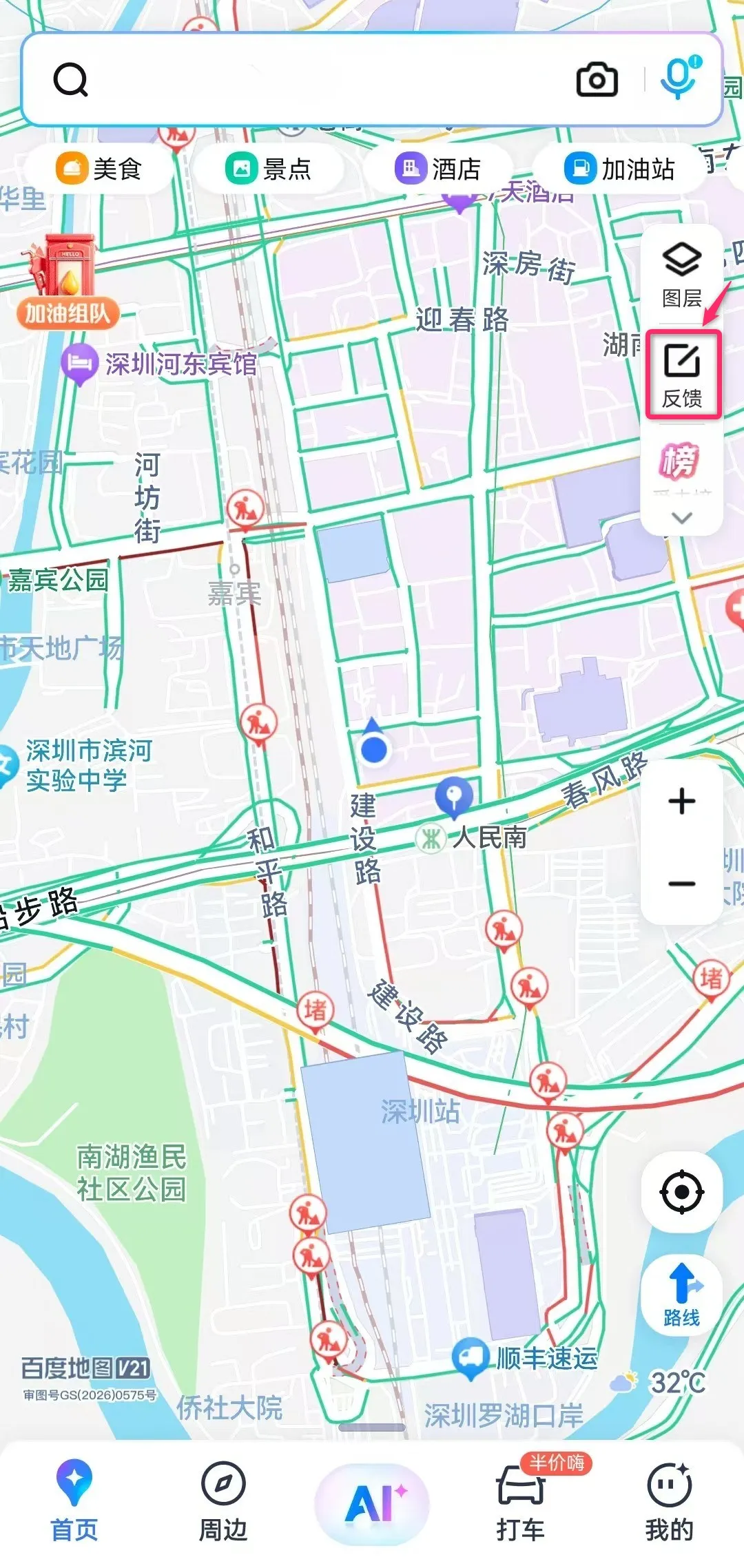
① Open the Baidu Maps app on your smartphone and tap “反馈 (Feedback)” in the upper-right tab.
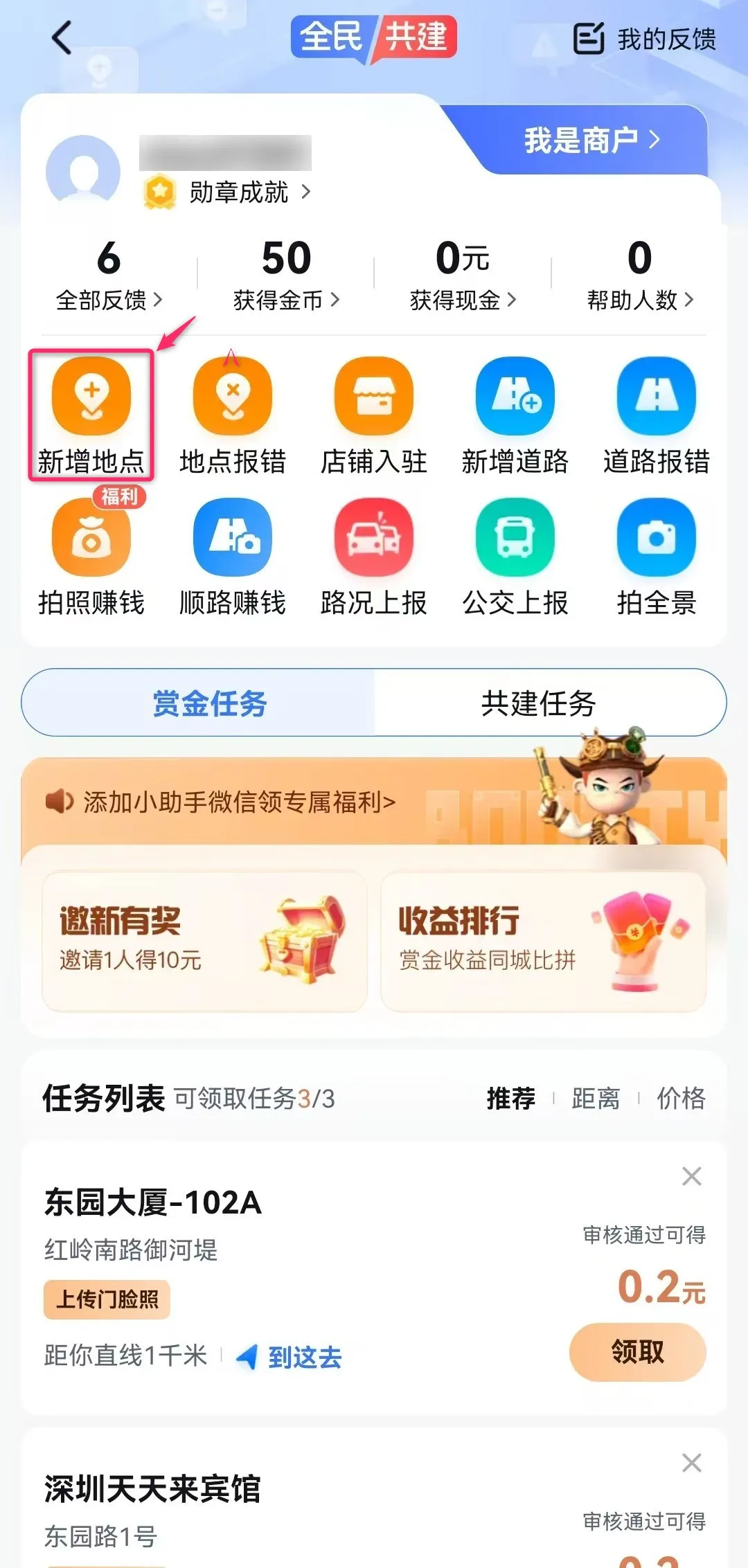
② On the “我是用户 (I am a user)” screen, tap “新增地点 (Add new location)”.
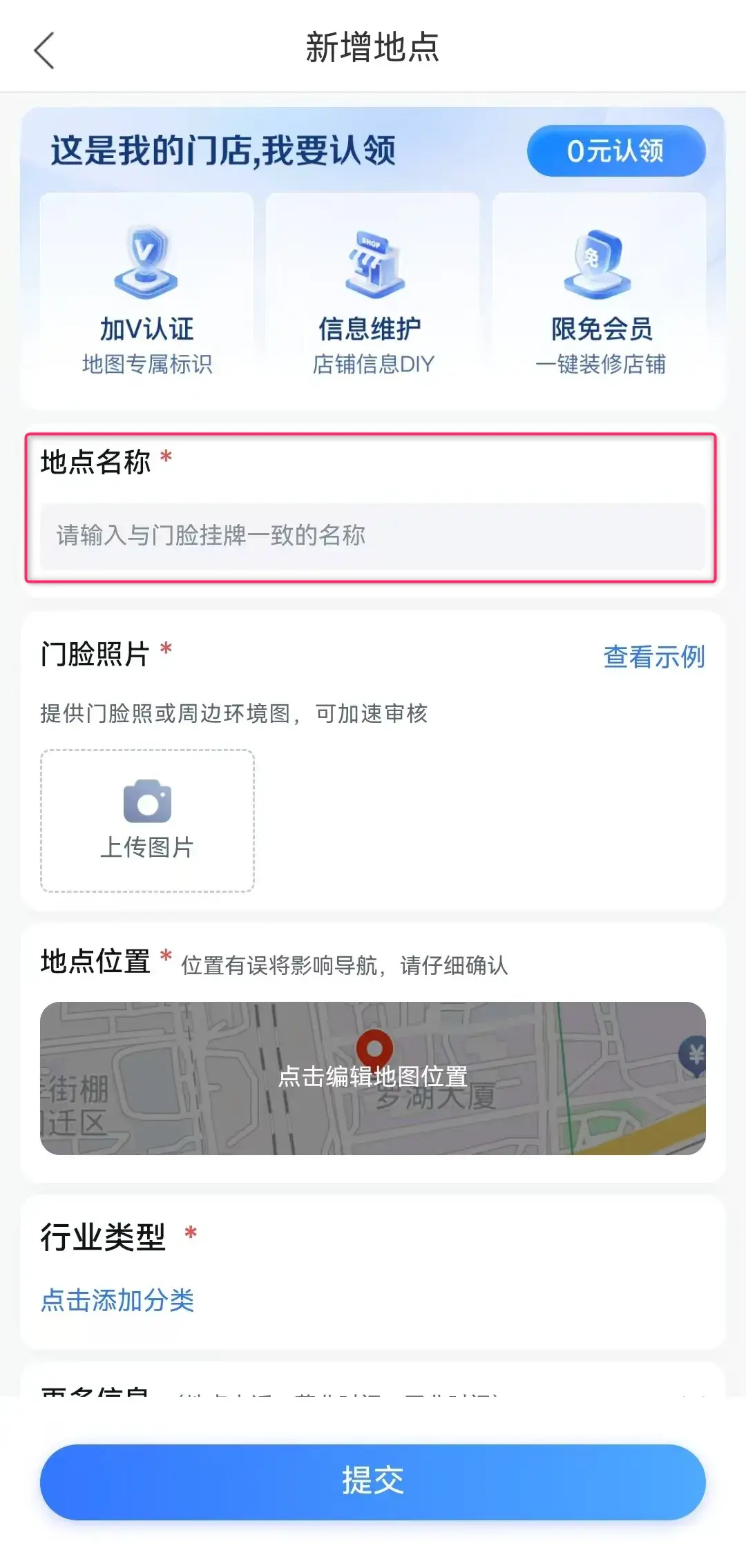

③ Enter your company name in the “地点名称 (Location name)” field.
If your company information appears in the search suggestion list, tap that store or company.
If it does not appear, tap “不是,我要新增 (No, I want to add a new one)” on the right to proceed.
* You may be asked to enter your “company’s address and location information” at this step.
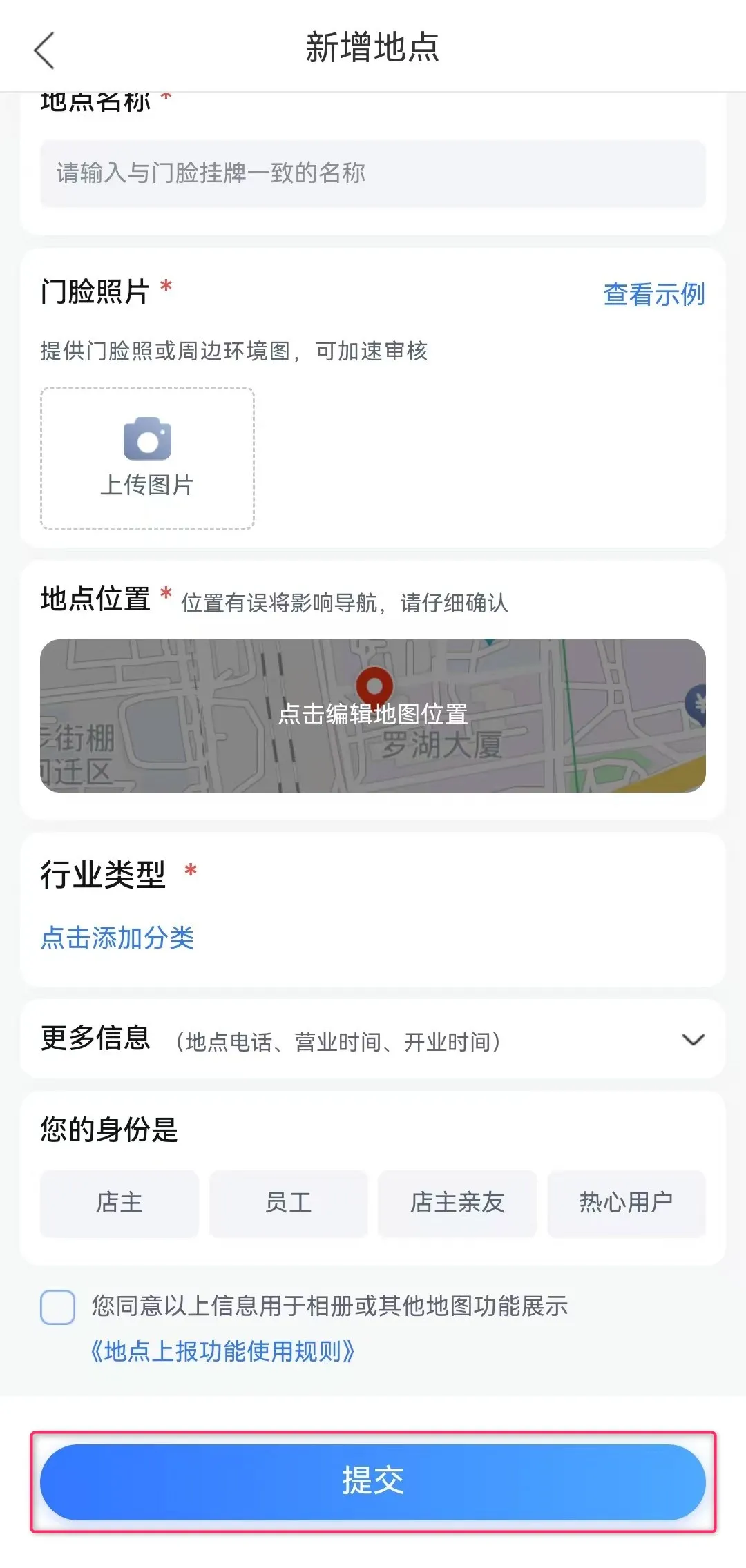
④ Next, enter and upload the following company information:
⑤ Tap “提交 (Submit)” and wait about 1 to 2 days. Your company’s location information will then appear on Baidu Maps.
This “Pattern B” is a method to register your company information under the name of the store or company owner.
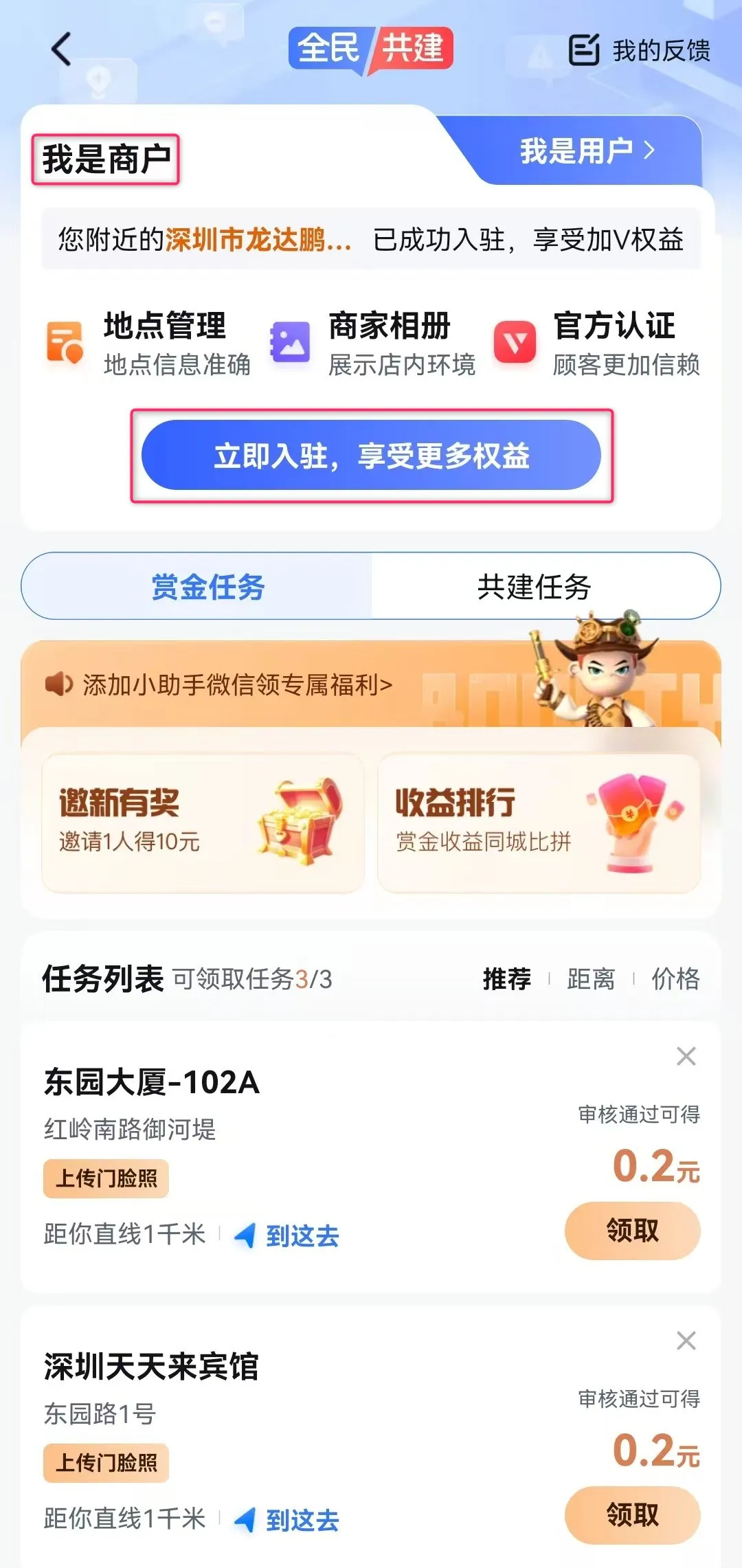
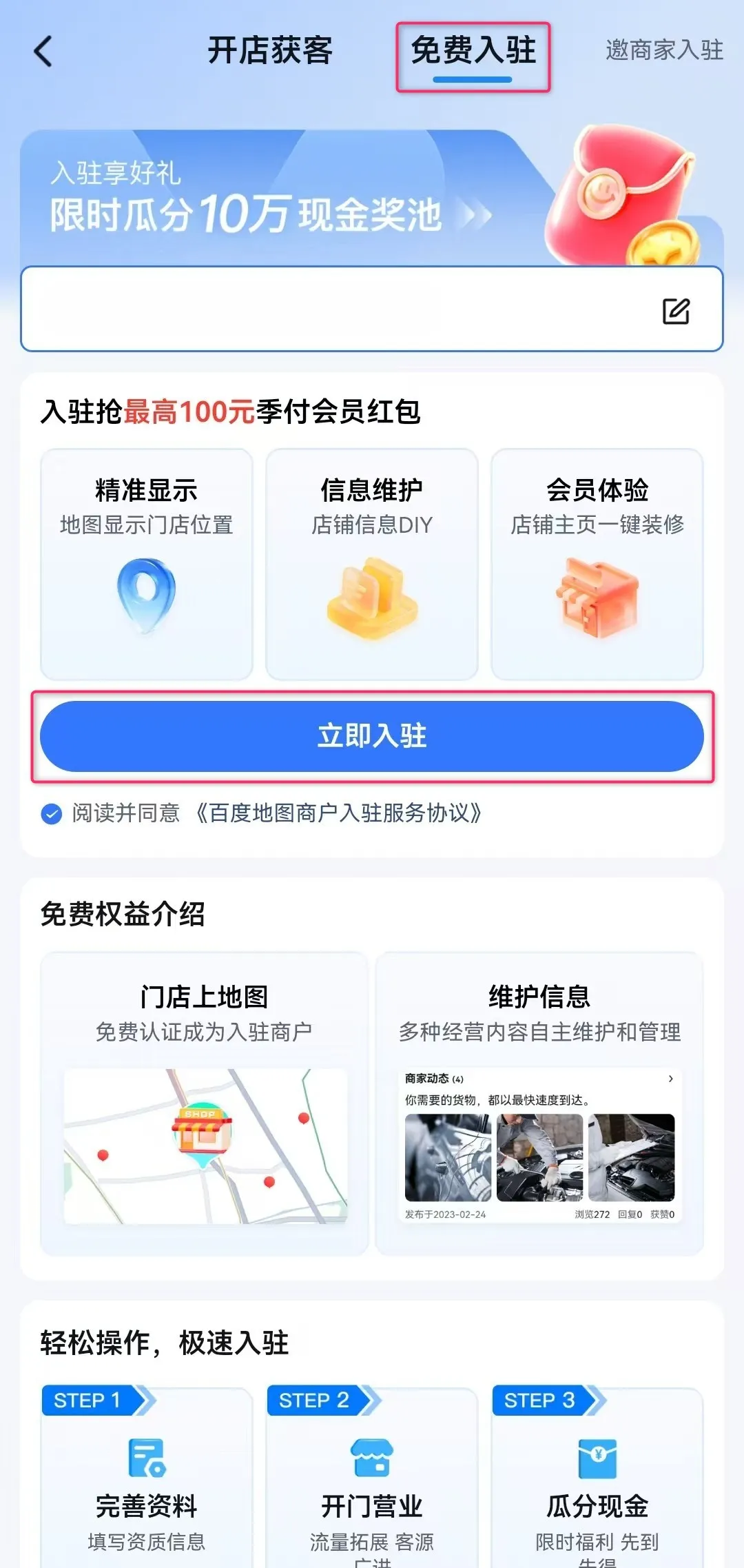
① Open the Baidu Maps app on your smartphone and tap “反馈 (Feedback)” in the upper-right tab.
② On the “我是商户 (I am a merchant)” screen, tap “立即入驻,享受更多权益 (Join now and enjoy more benefits)”.
③ Switch to the “免费入驻 (Free join)” tab and tap “立即入驻 (Join now)”.
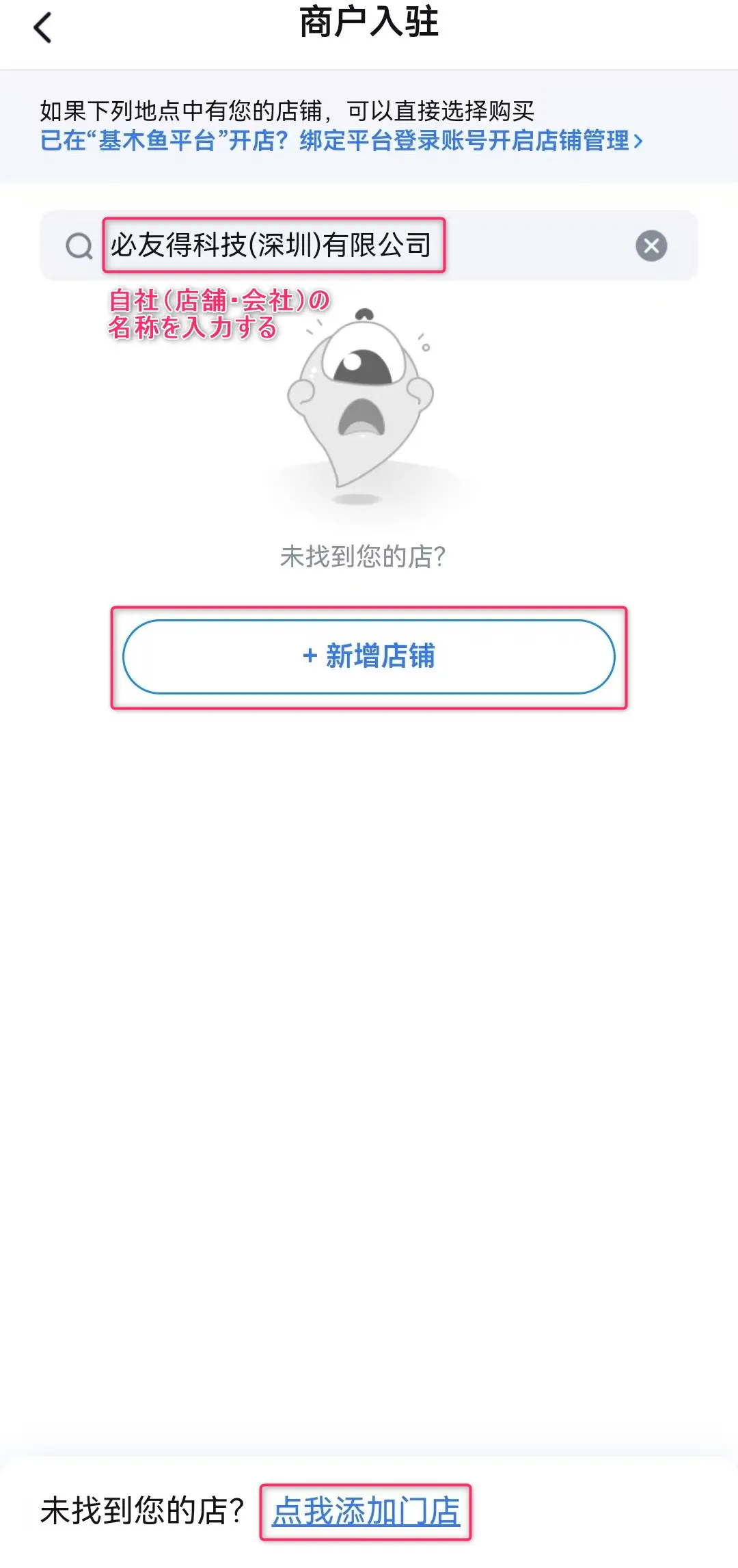
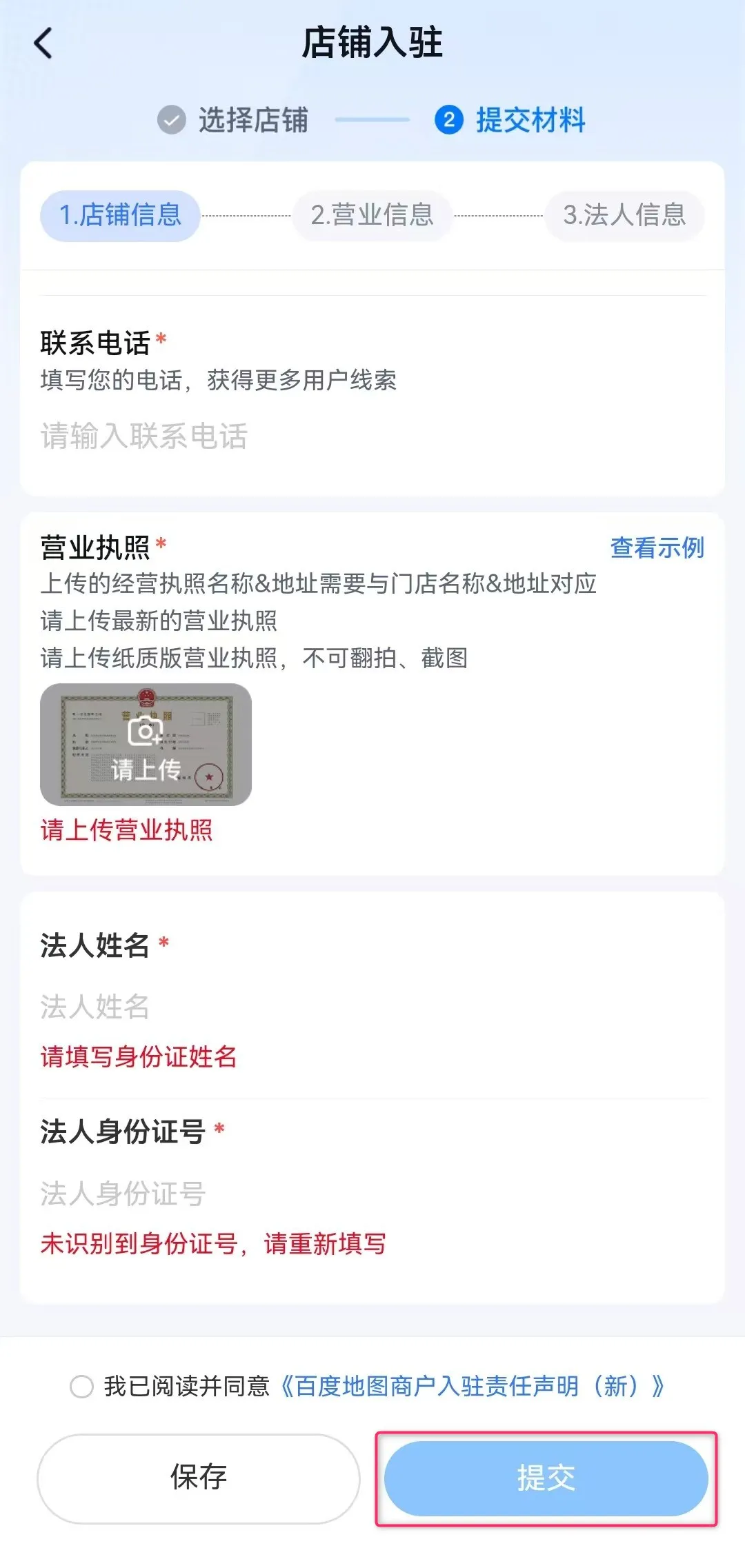
④ On the “商户入驻 (Merchant registration)” screen, enter your company name.
If your company information appears in the search suggestion list, tap that store or company.
If it does not appear, tap “新增店铺 (Add new store)” or “点我添加门店 (Click here to add a store)” to proceed.
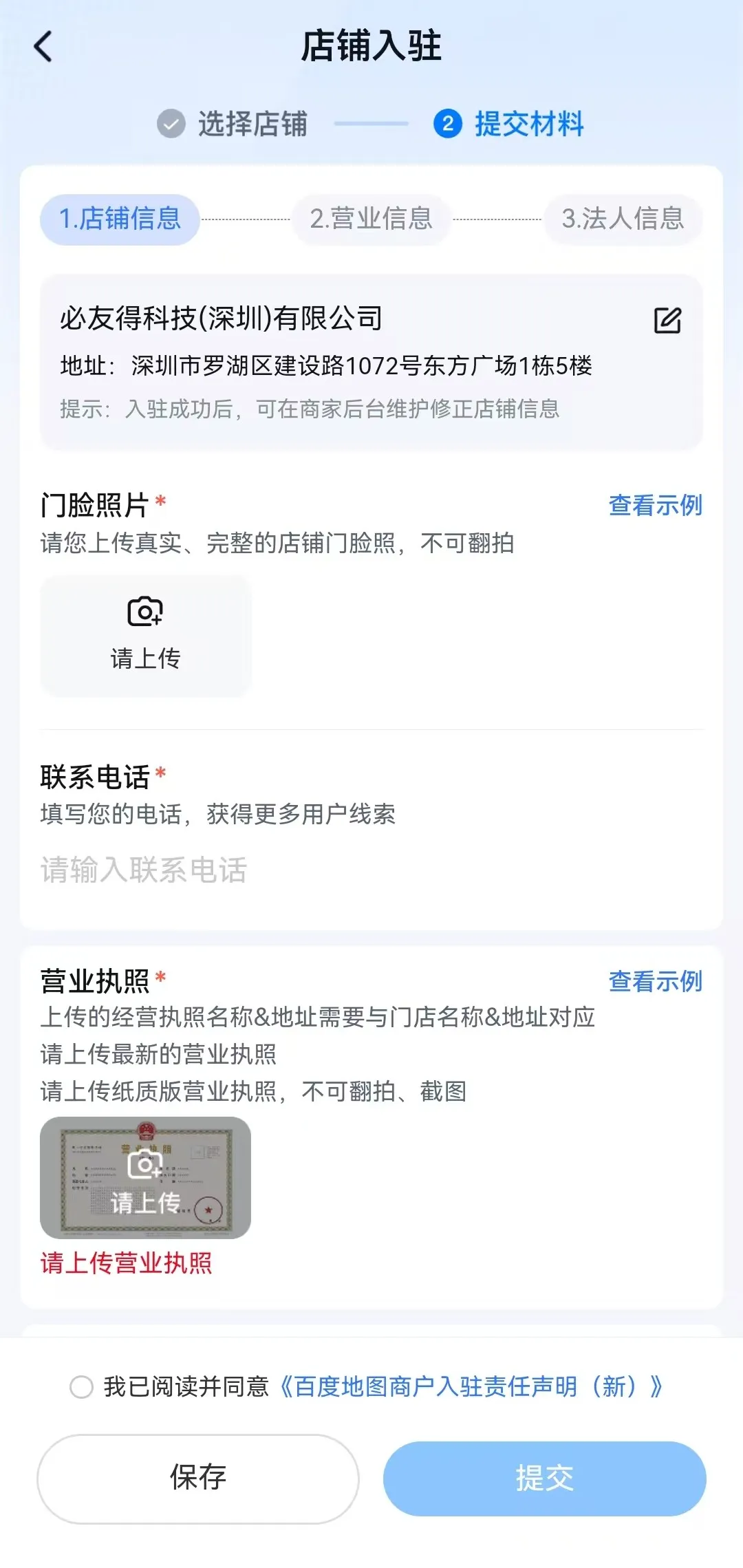
* You may be asked to enter your “company’s address and location information” at this step.
⑤ Next, enter and upload the following company information:
⑥ Tap “提交 (Submit)” and wait about 1 to 2 days. Your company’s location information will then appear on Baidu Maps.
This is the method to register your company information on Amap.
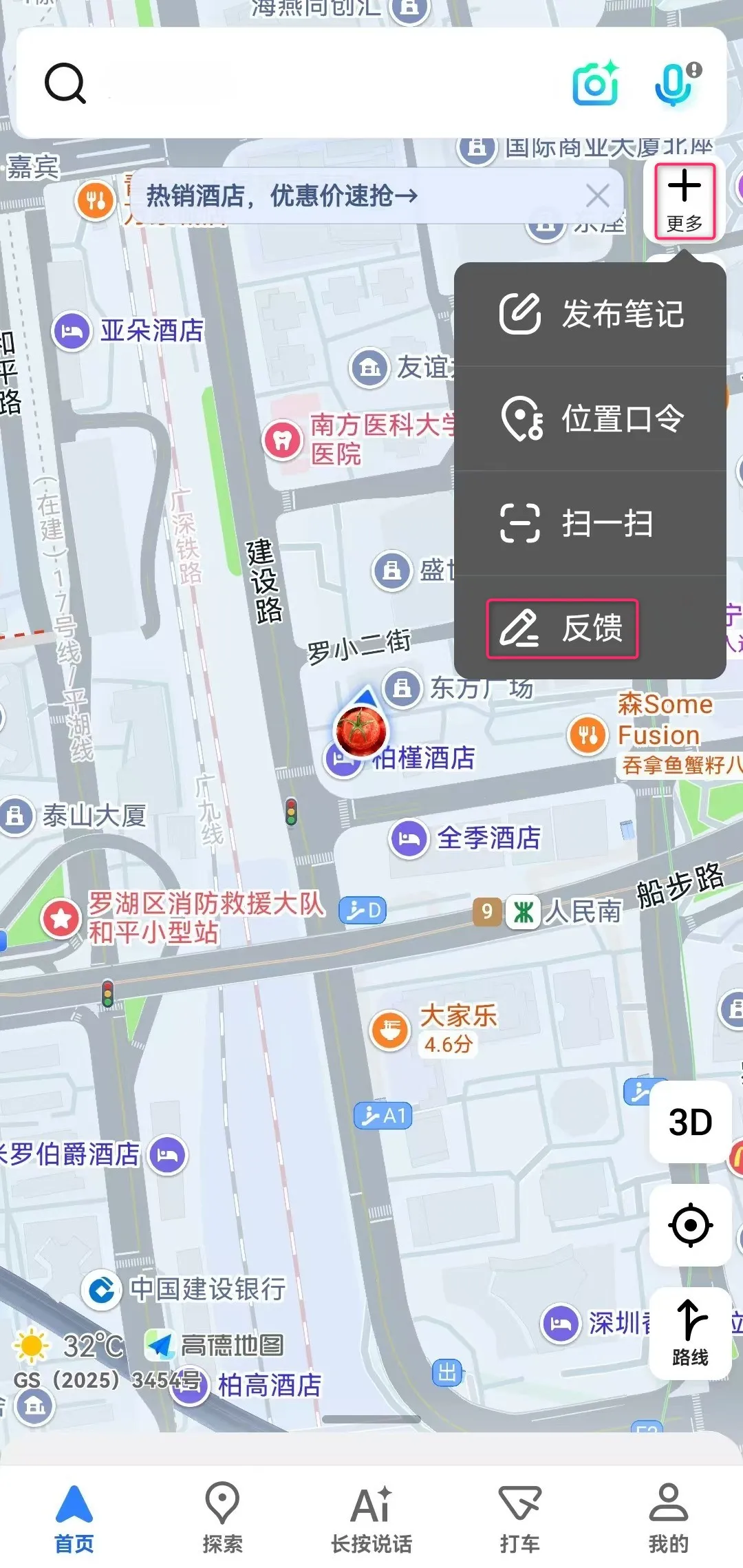
① Open the Amap app on your smartphone and tap “更多 (More)” → “反馈 (Feedback)” in the upper-right tab.
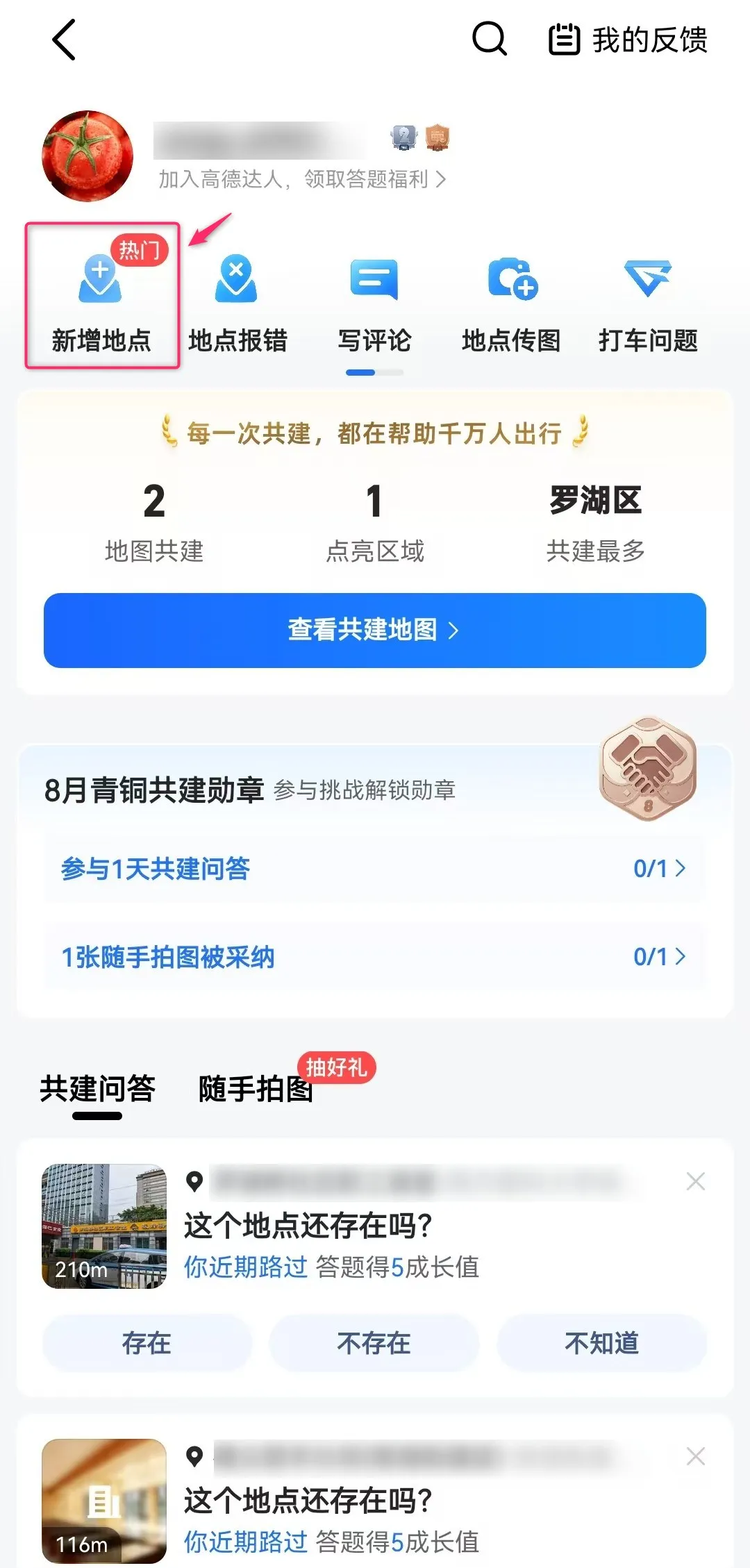
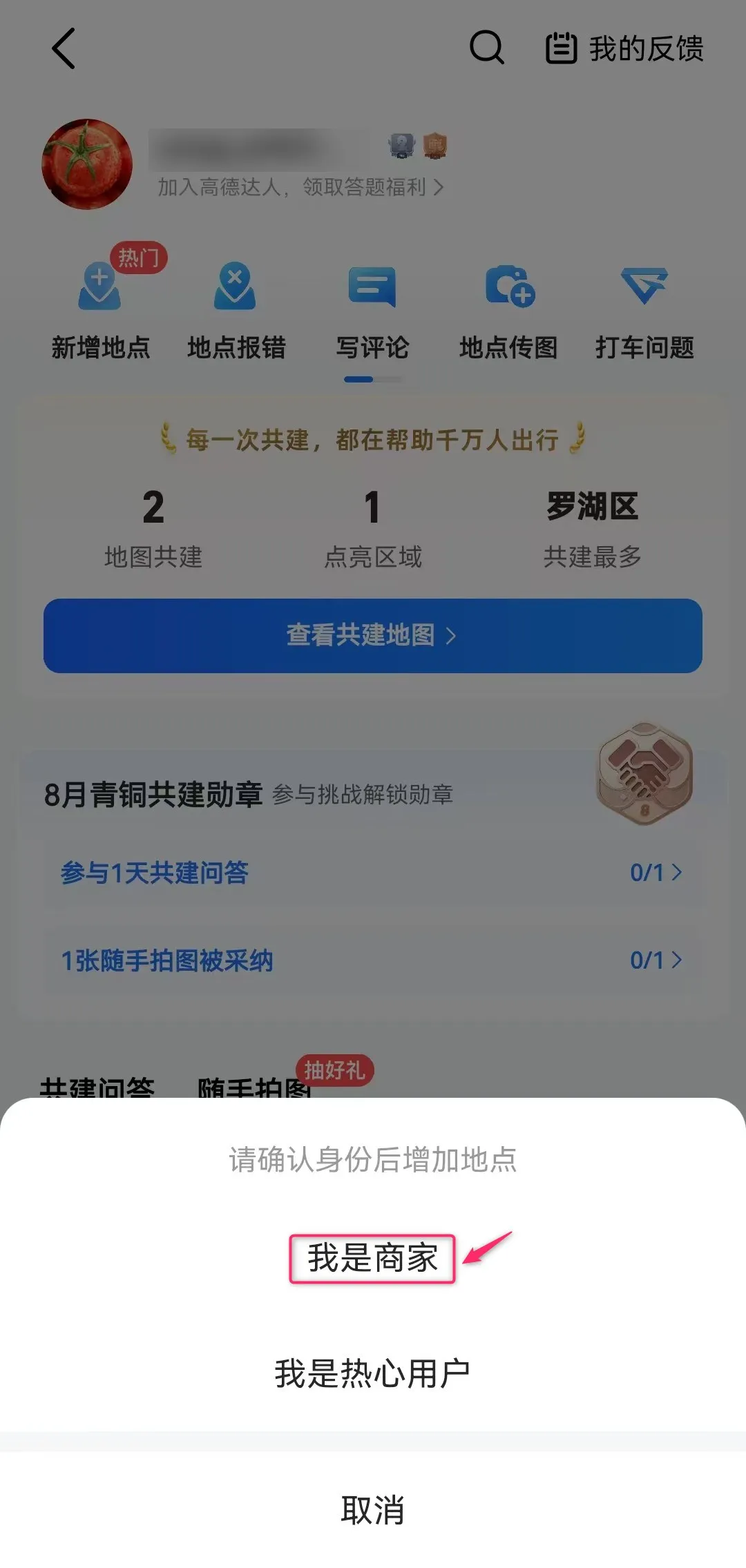
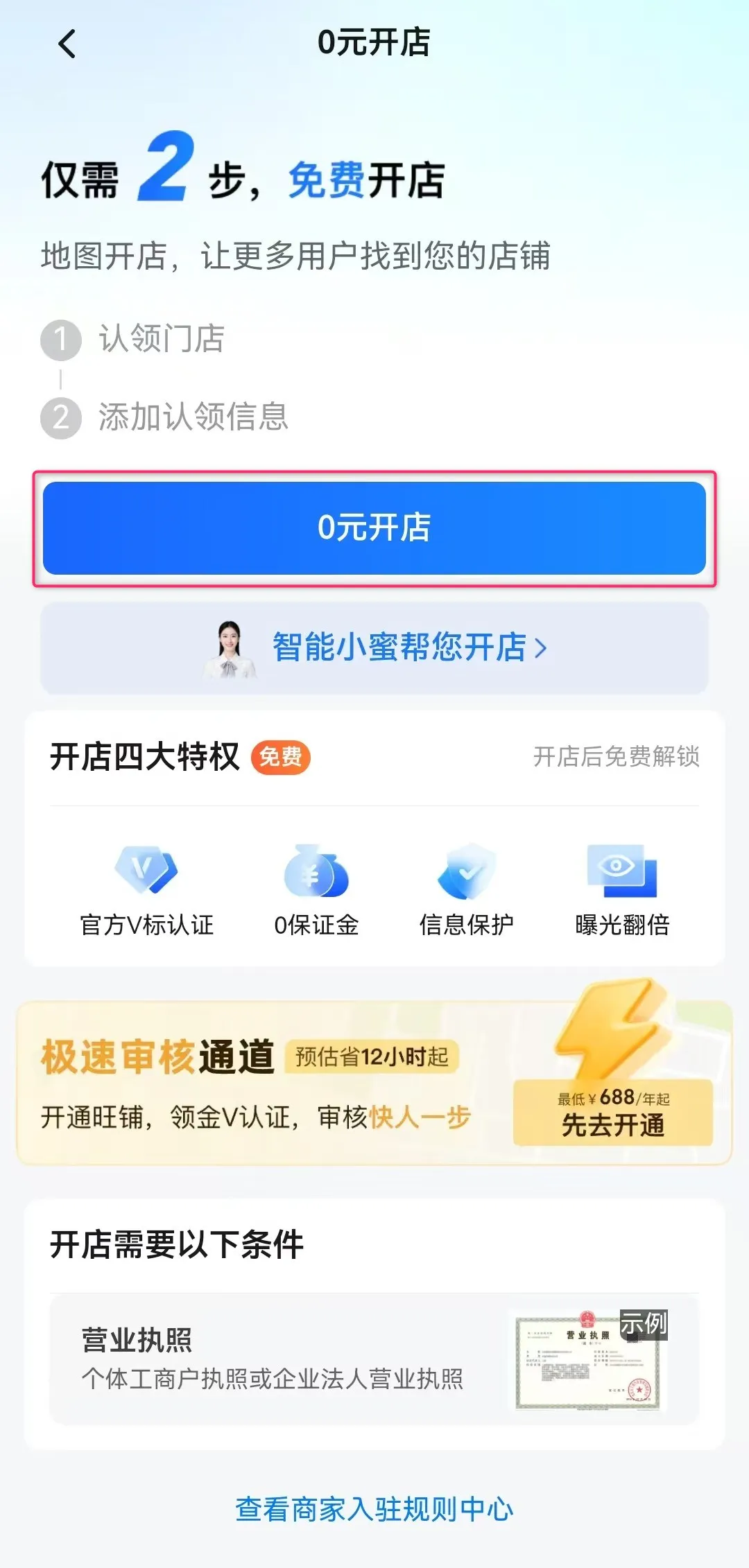
② Tap “新增地点 (Add new location)” → “我是商家 (I am a merchant)” → “0元开店 (Free store setup)” in order.
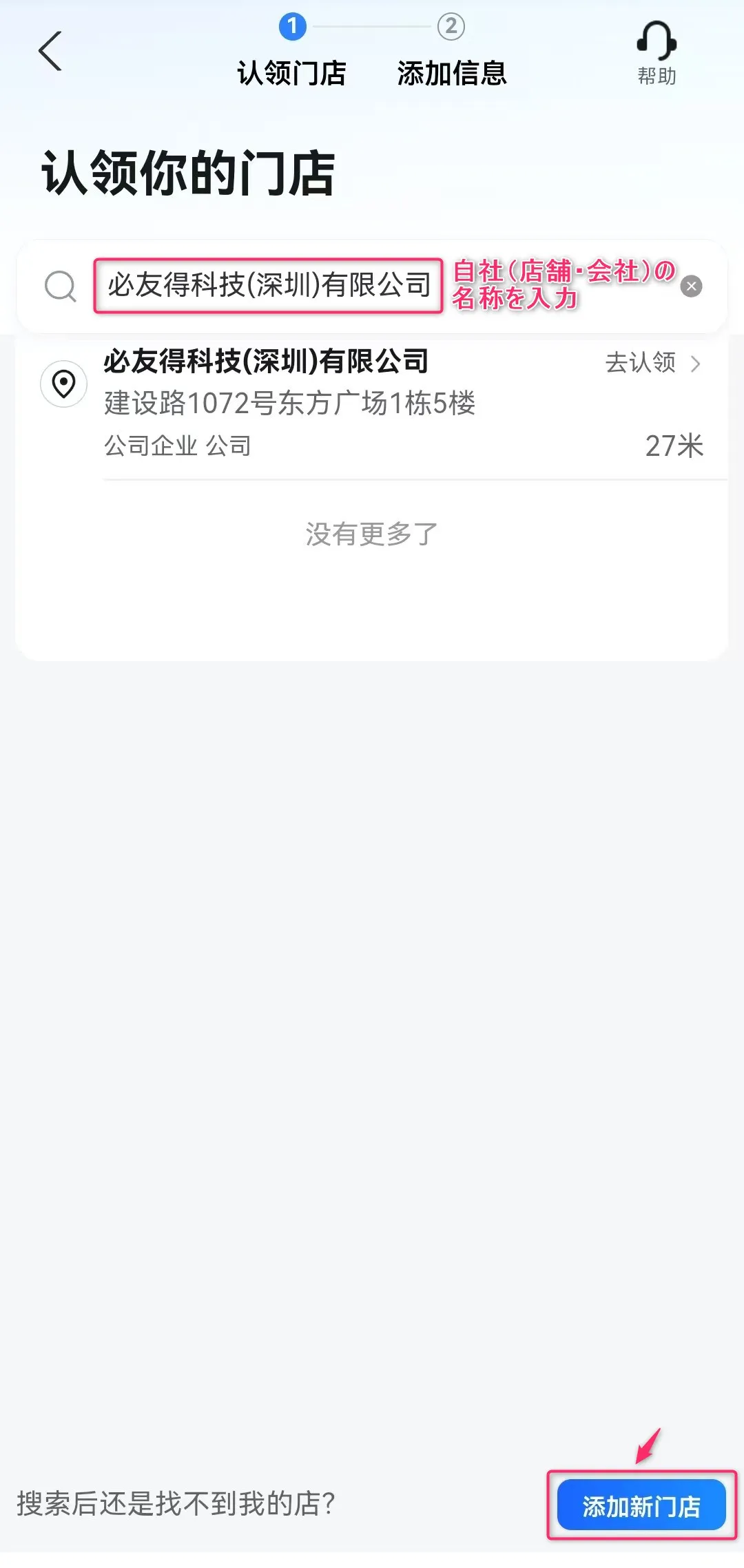
③ On the “认领你的门店 (Claim your store)” screen, enter your company name.
If your company information appears in the search suggestion list, tap that store or company.
If it does not appear, tap “添加新门店 (Add new store)” at the bottom right to proceed.
* You may be asked to enter your “company’s address and location information” at this step.
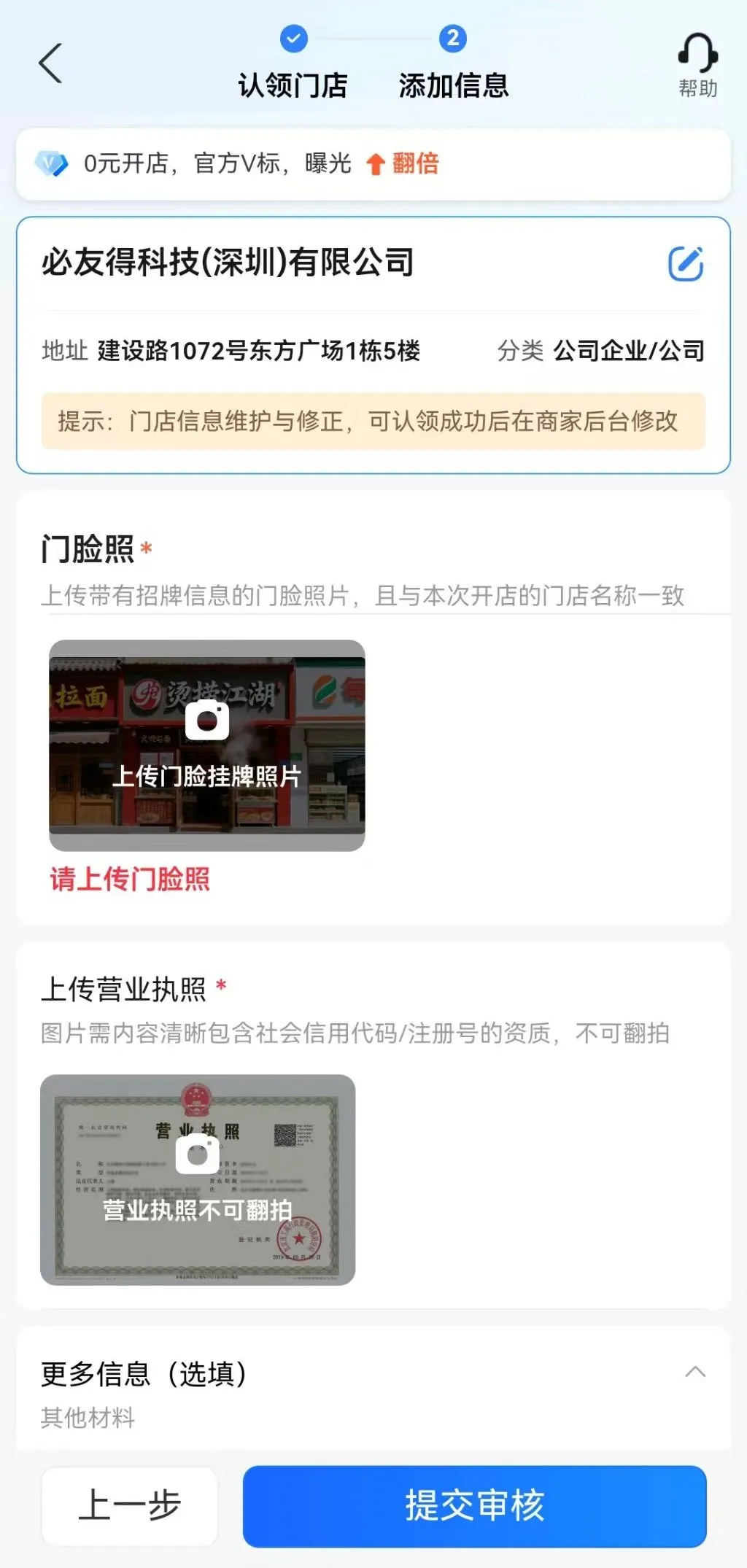
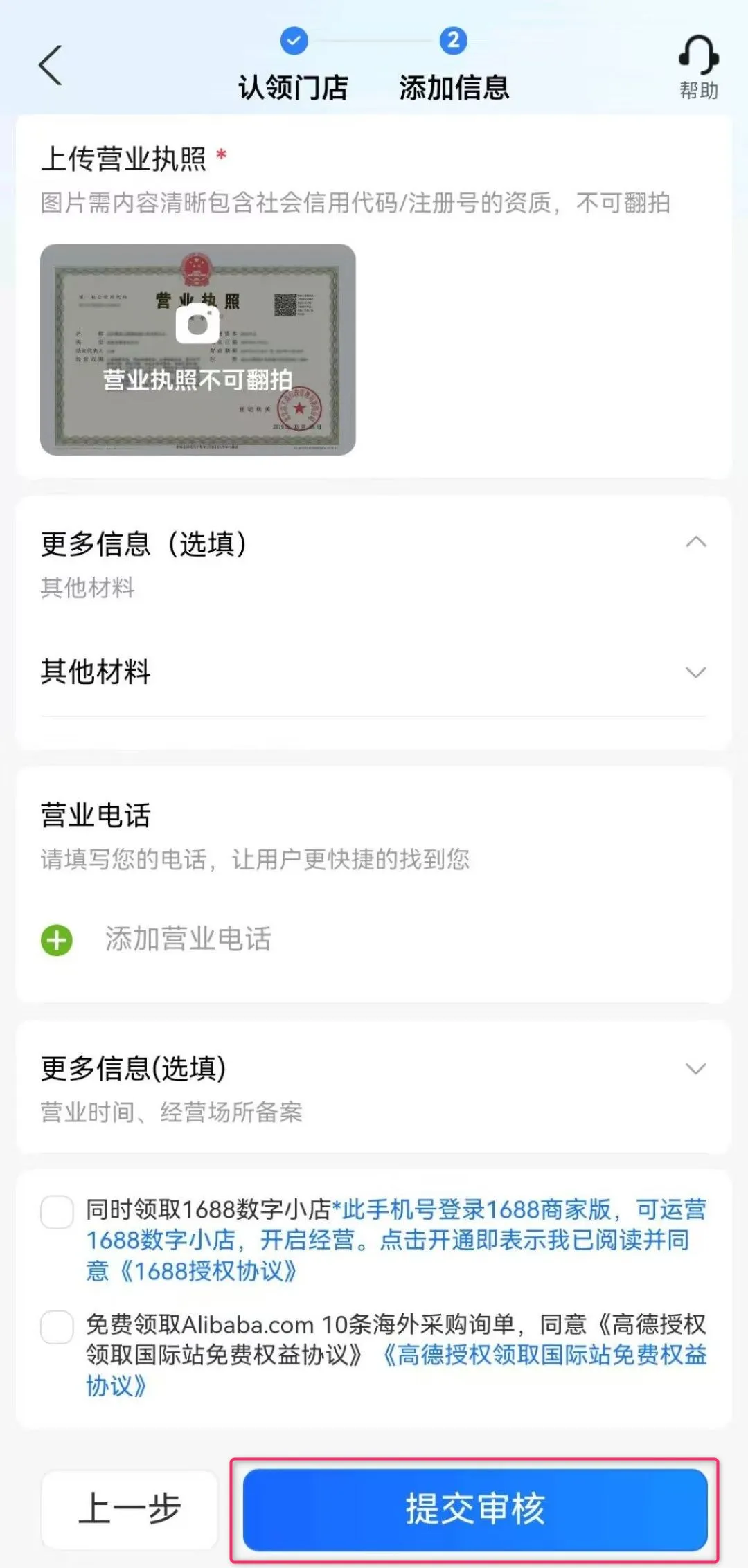
④ Next, enter and upload the following company information:
⑤ Tap “提交审核 (Submit for review)” and wait about 1 to 2 days. Your company’s location information will then appear on Amap.
This is the method to register your company information on Tencent Maps.
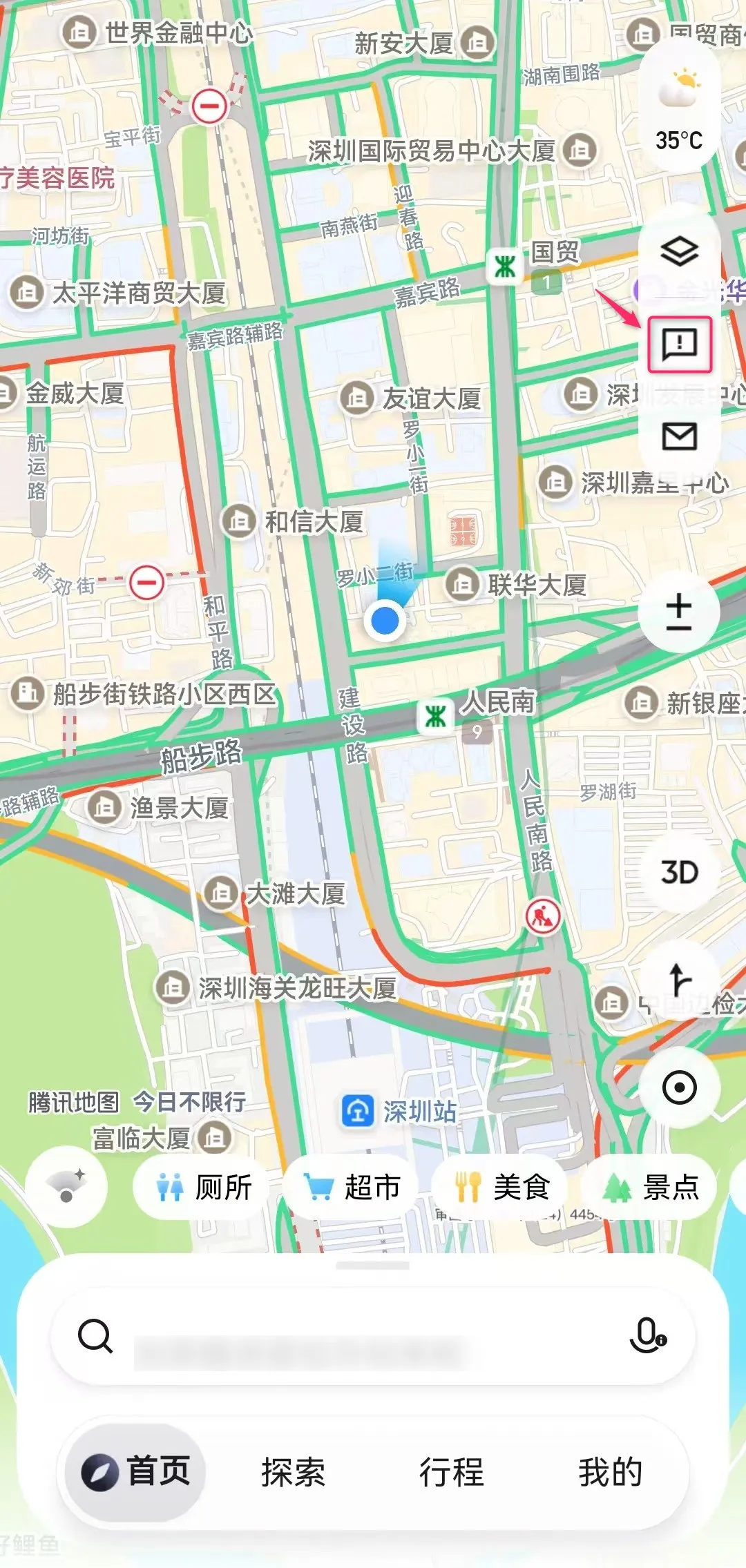
① Open the Tencent Maps app on your smartphone and tap the “!” mark (Feedback) in the upper-right tab.
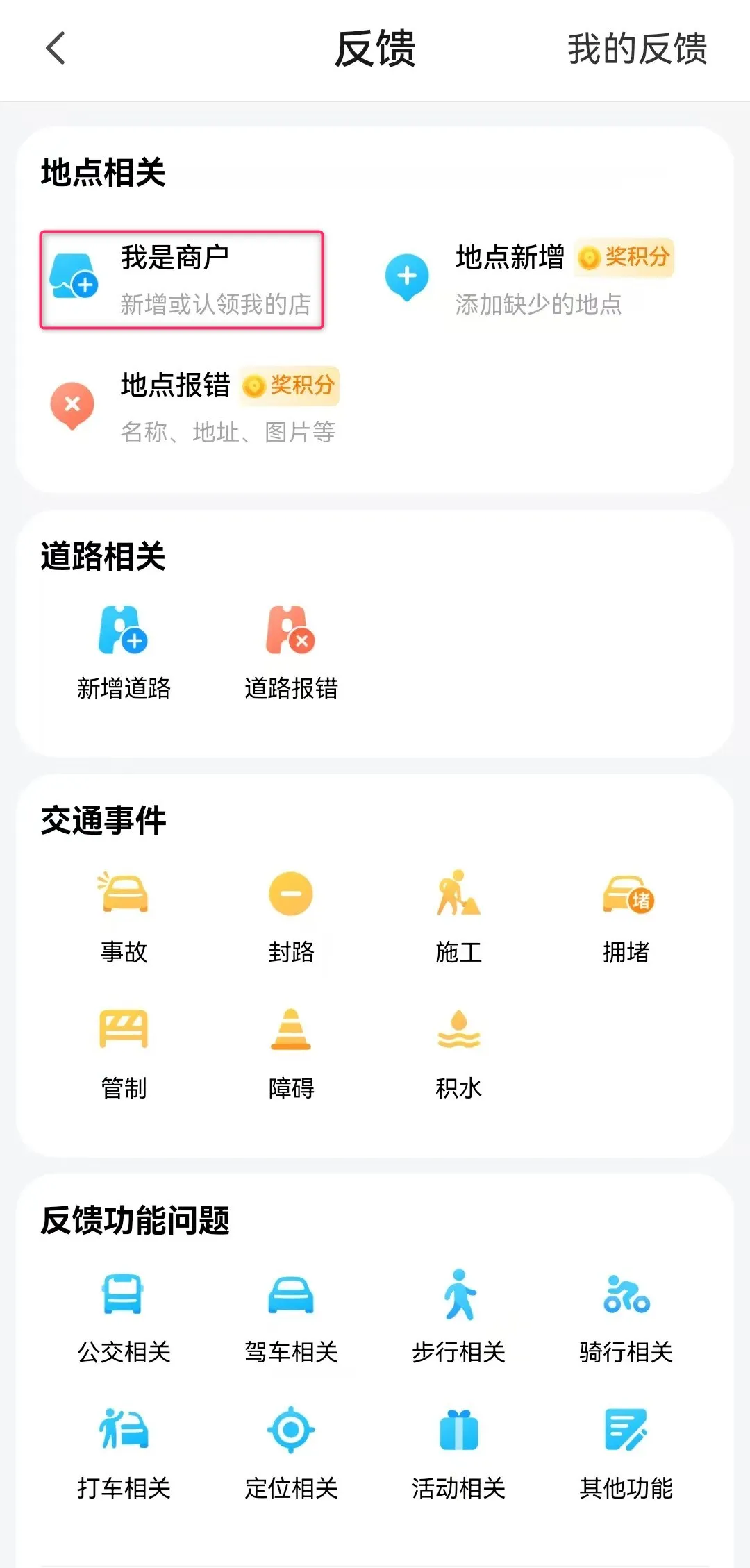
② On the “我是商户 (Feedback)” screen, tap “I am a merchant”.
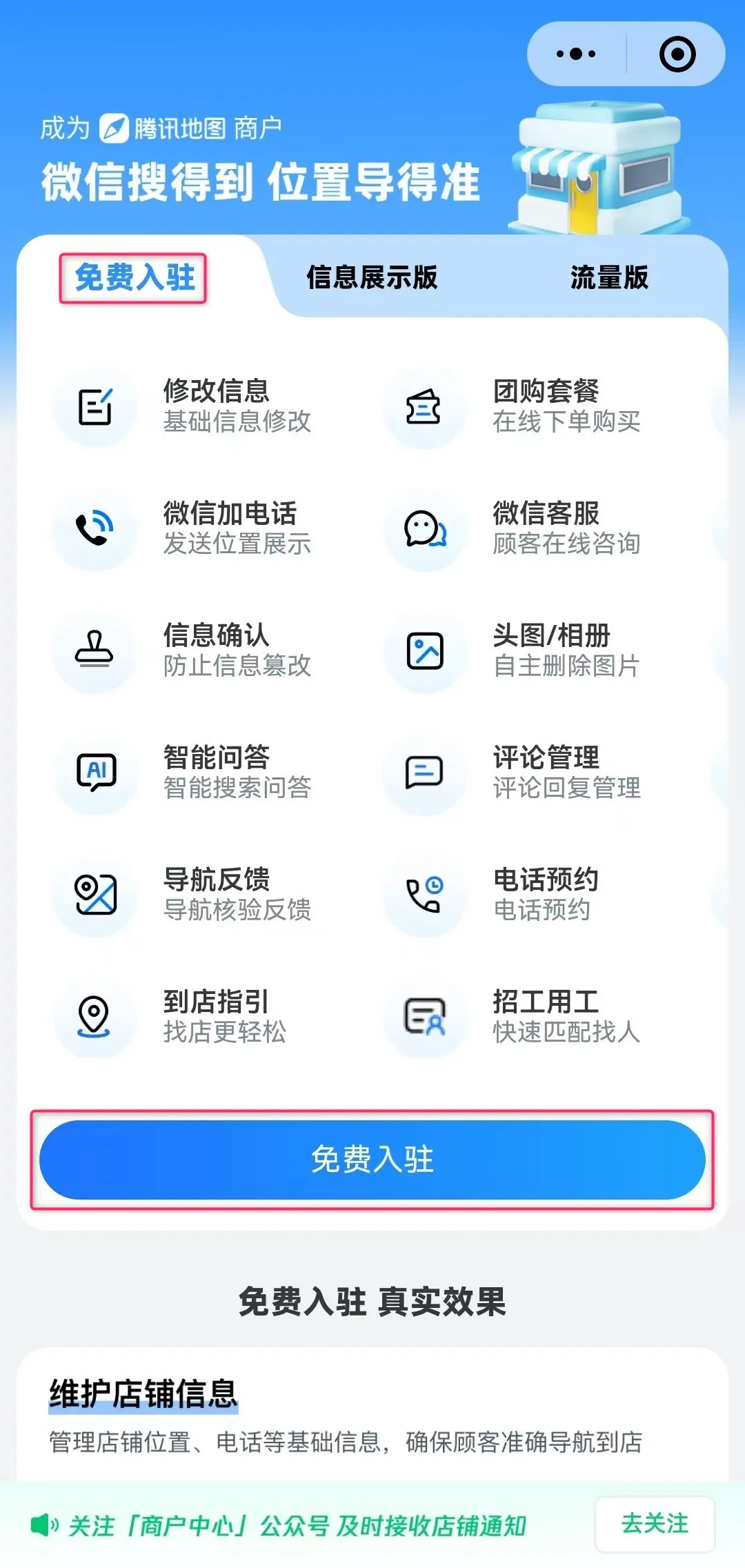
③ Switch to the “免费入驻 (Free join)” tab and tap “免费入驻 (Free join)”.
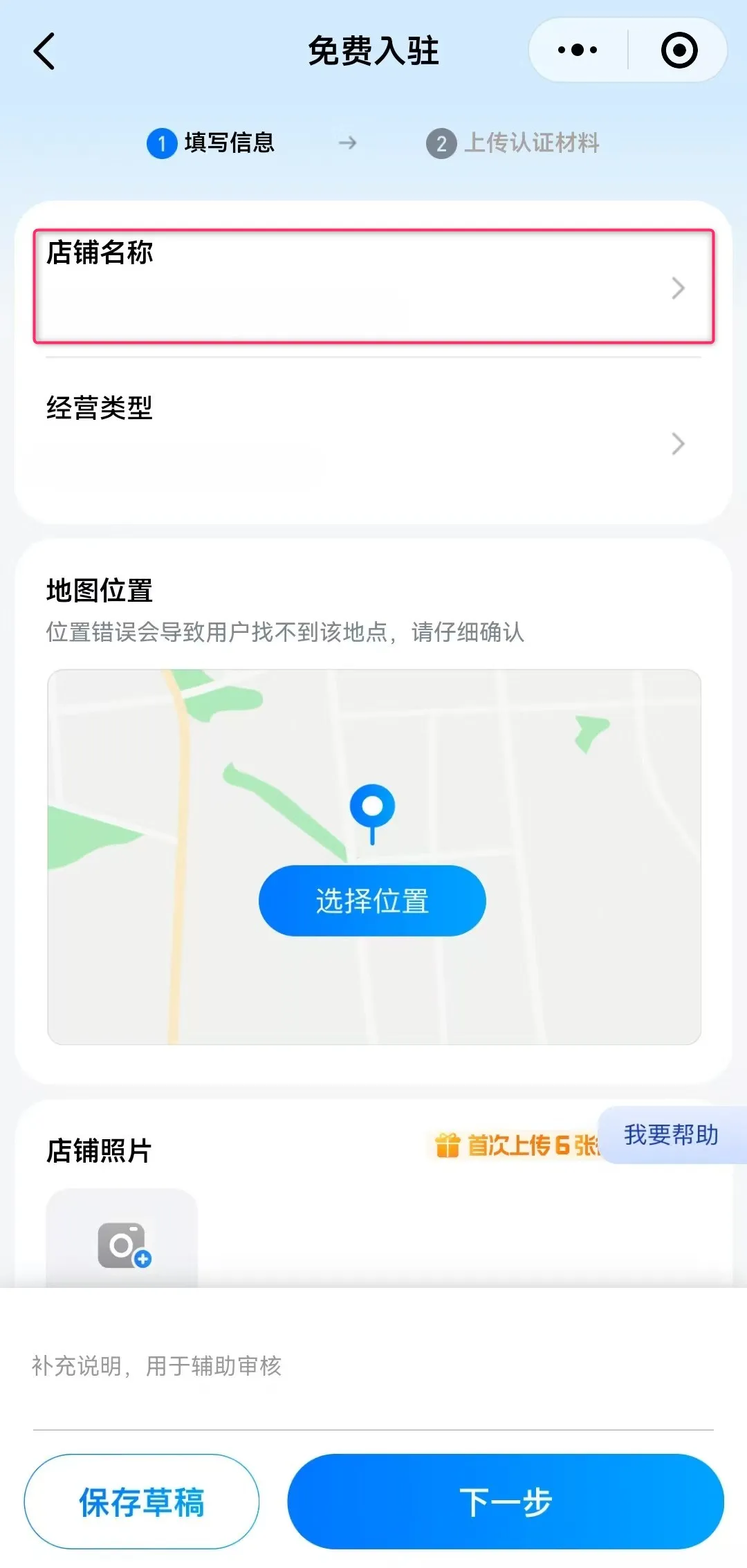
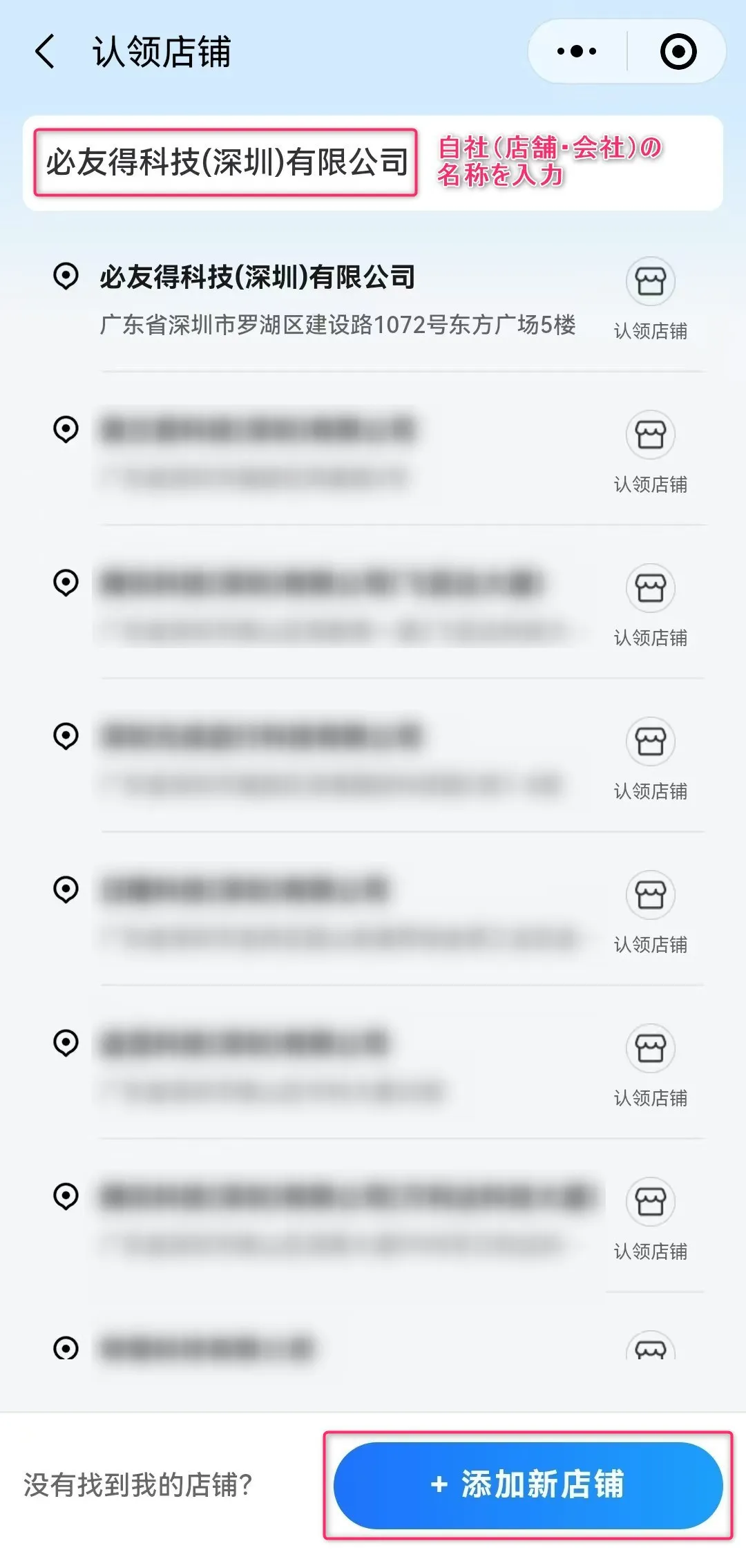
④ Enter your company name in the “店铺名称 (Store name)” field. If your company information appears in the search suggestion list, tap that store or company.
If it does not appear, tap “添加新店铺 (Add new store)” at the bottom right to proceed.
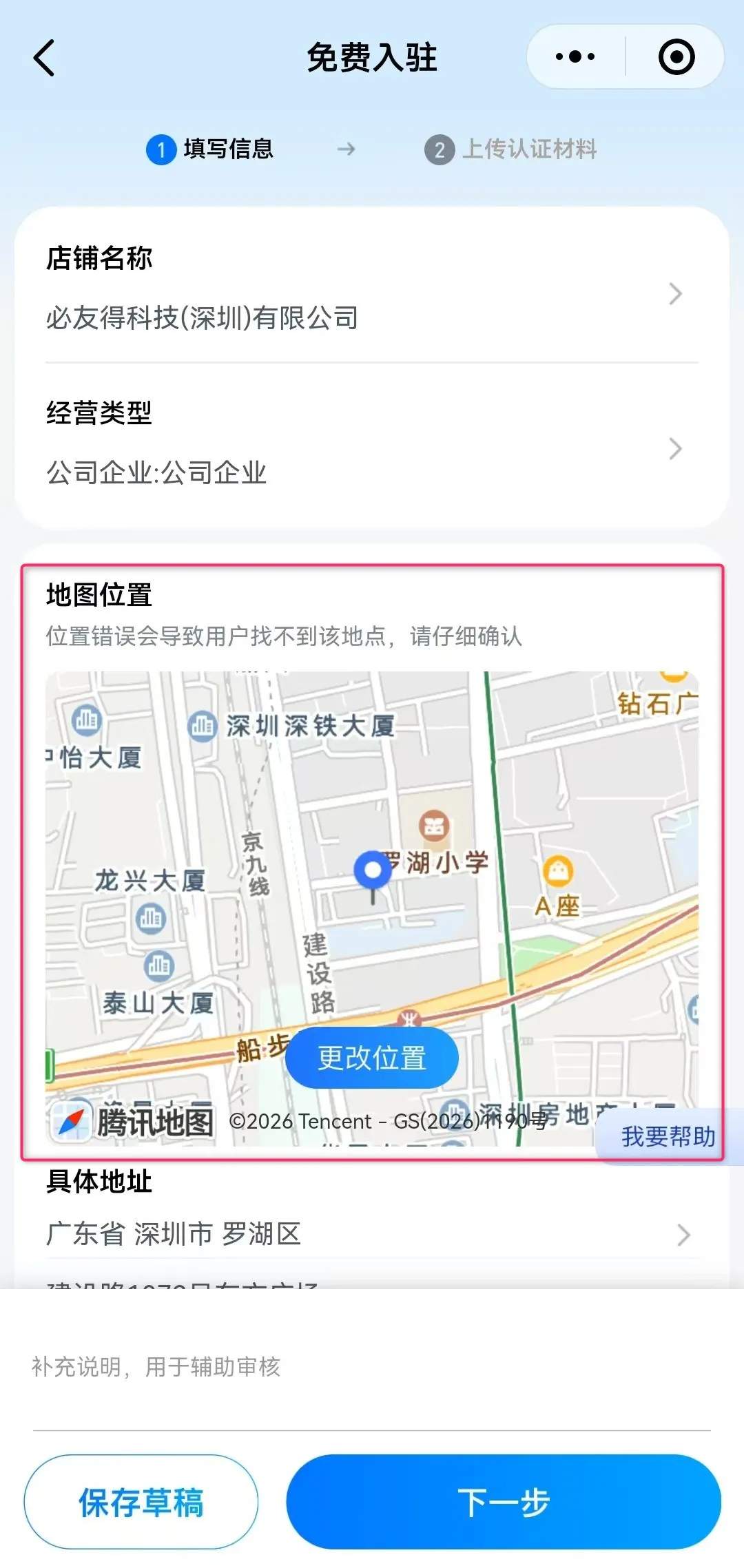
⑤ Register your company’s industry category.
⑥ In the “地图位置 (Map location)” field, register your company’s address and location information.
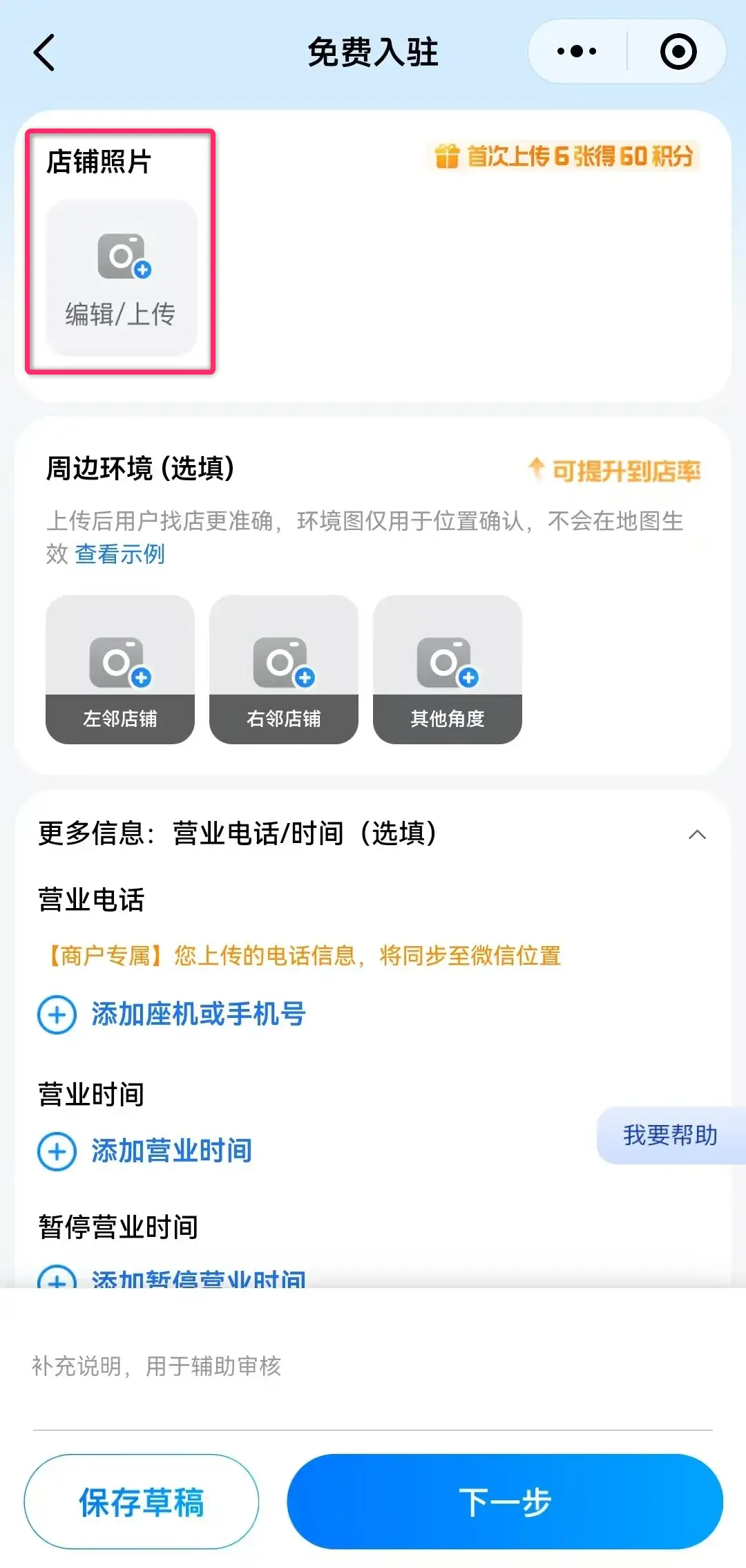
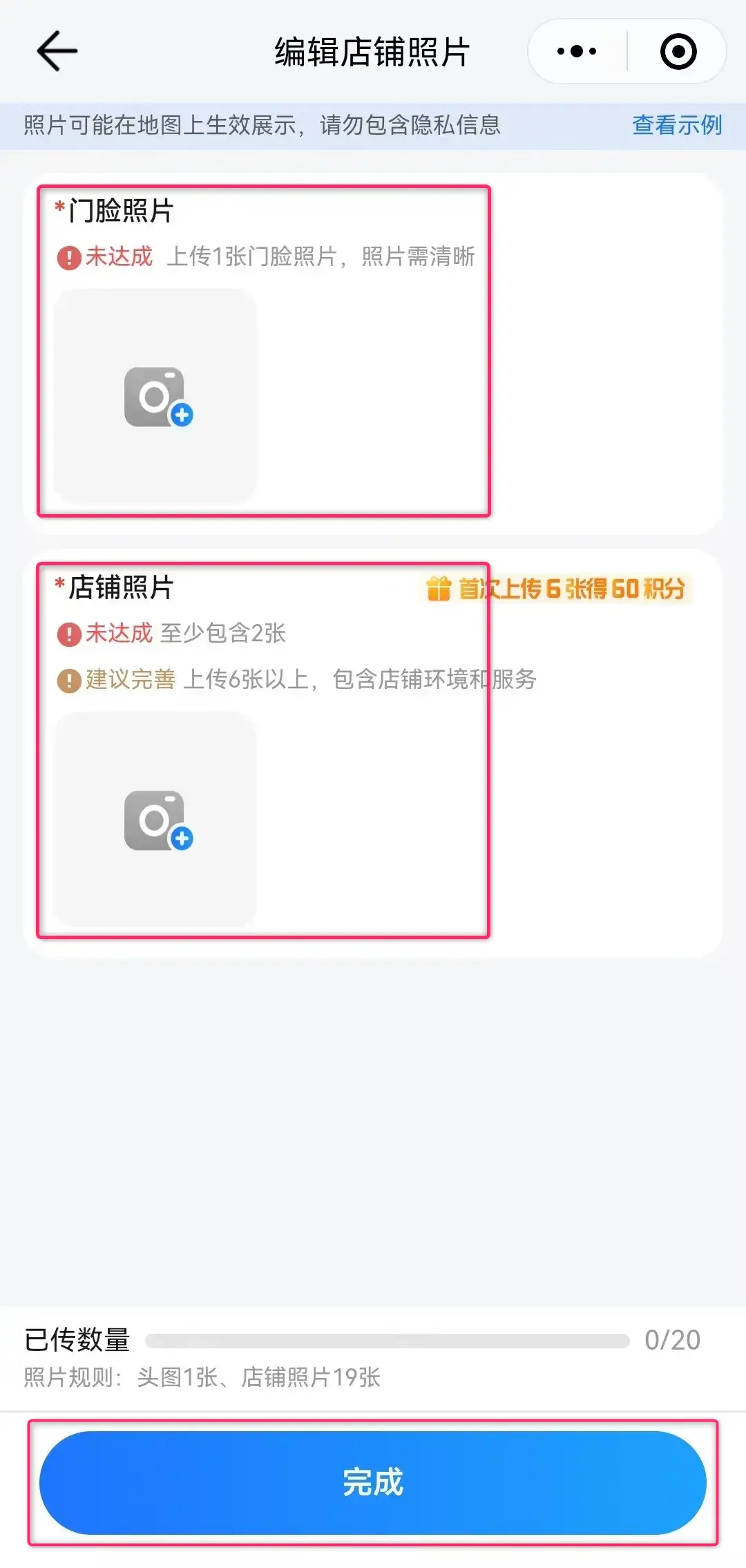
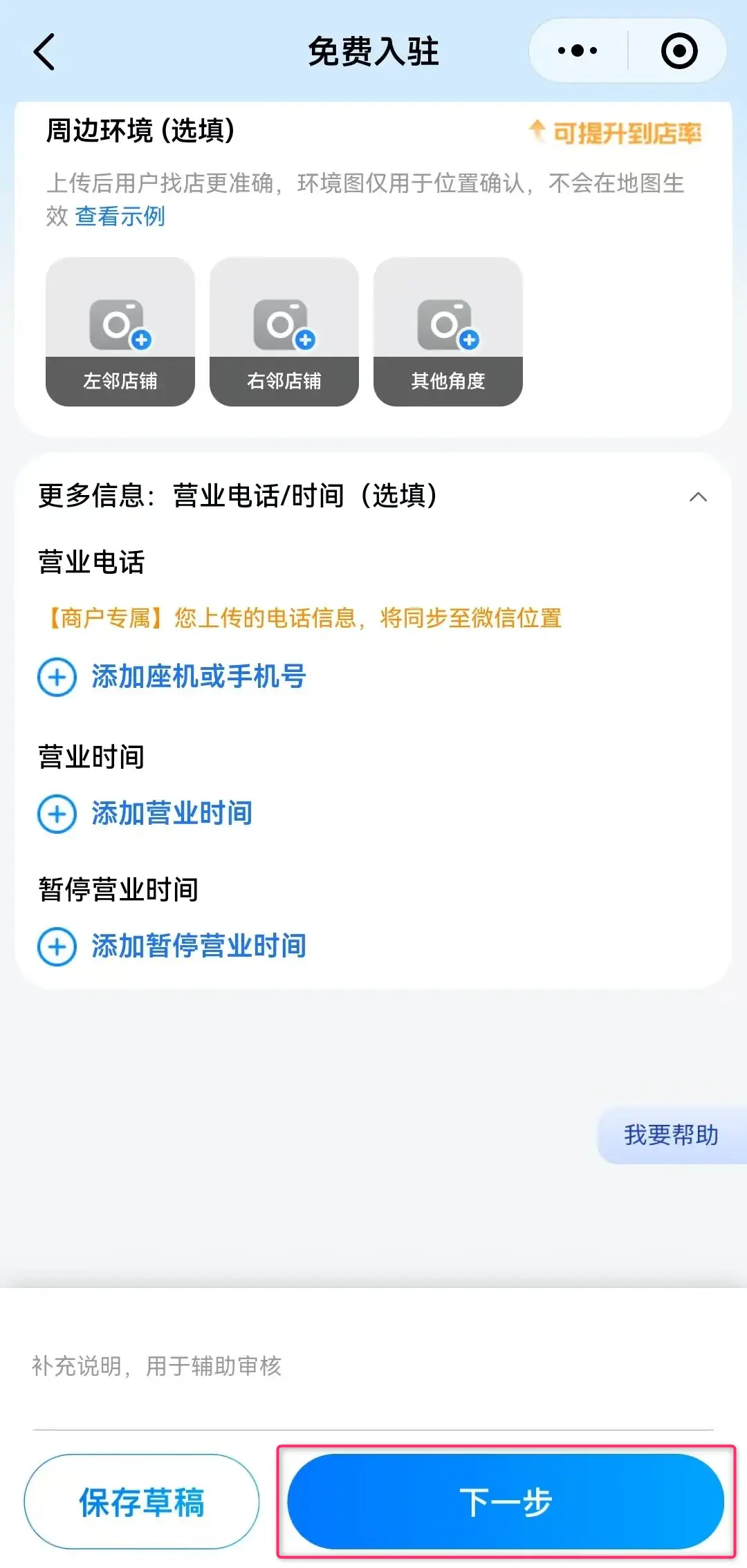
⑦ In the “店铺图片 (Store photos)” field, register at least 3 photos showing the exterior of your store/office and signboard, then tap “完成 (Done)” below.
(If you don’t have a signboard, photos of nearby building exteriors, office interiors, or your company logo are acceptable)
⑧ After returning to the “免费入驻 (Free join)” screen, tap “下一歩 (Next)” at the bottom right.
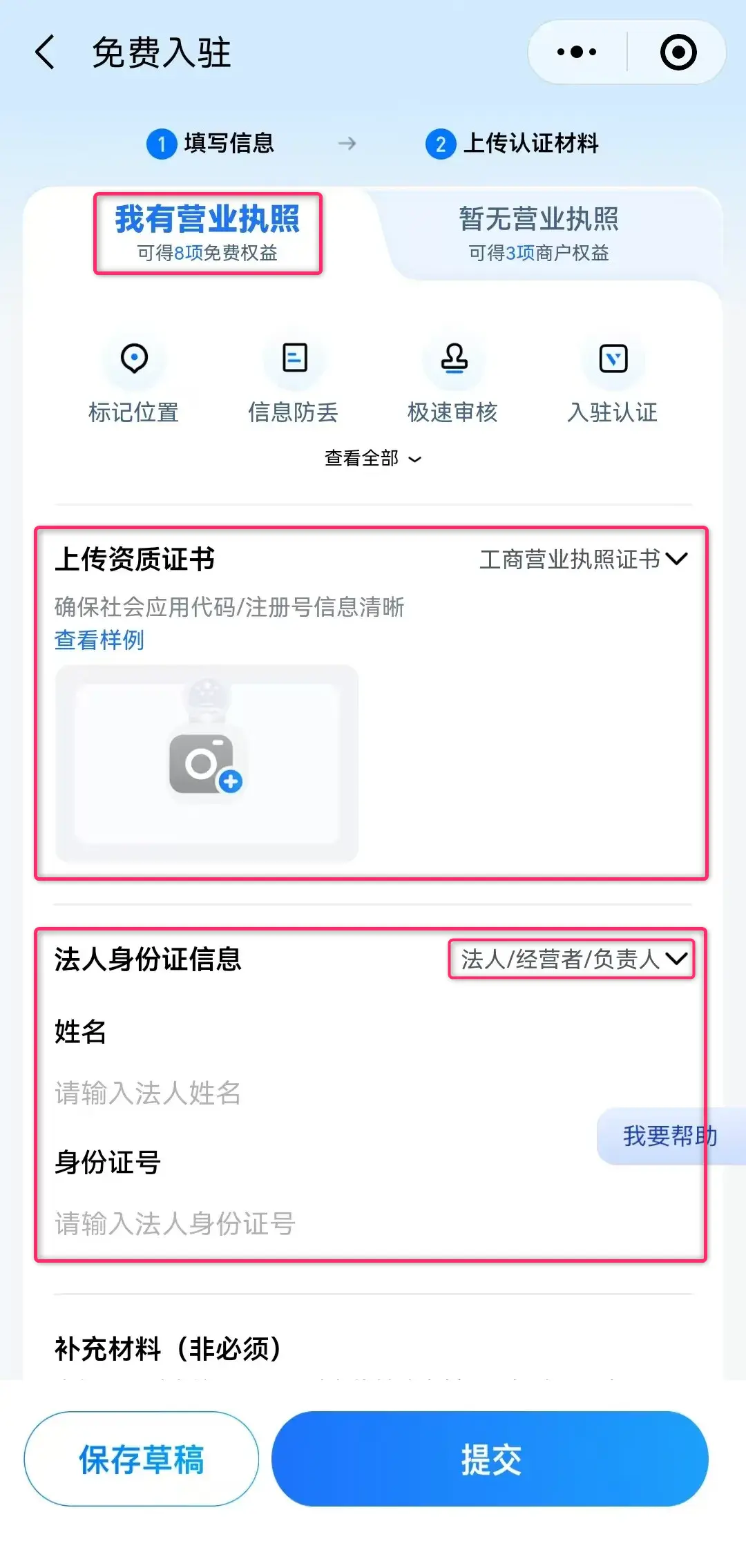
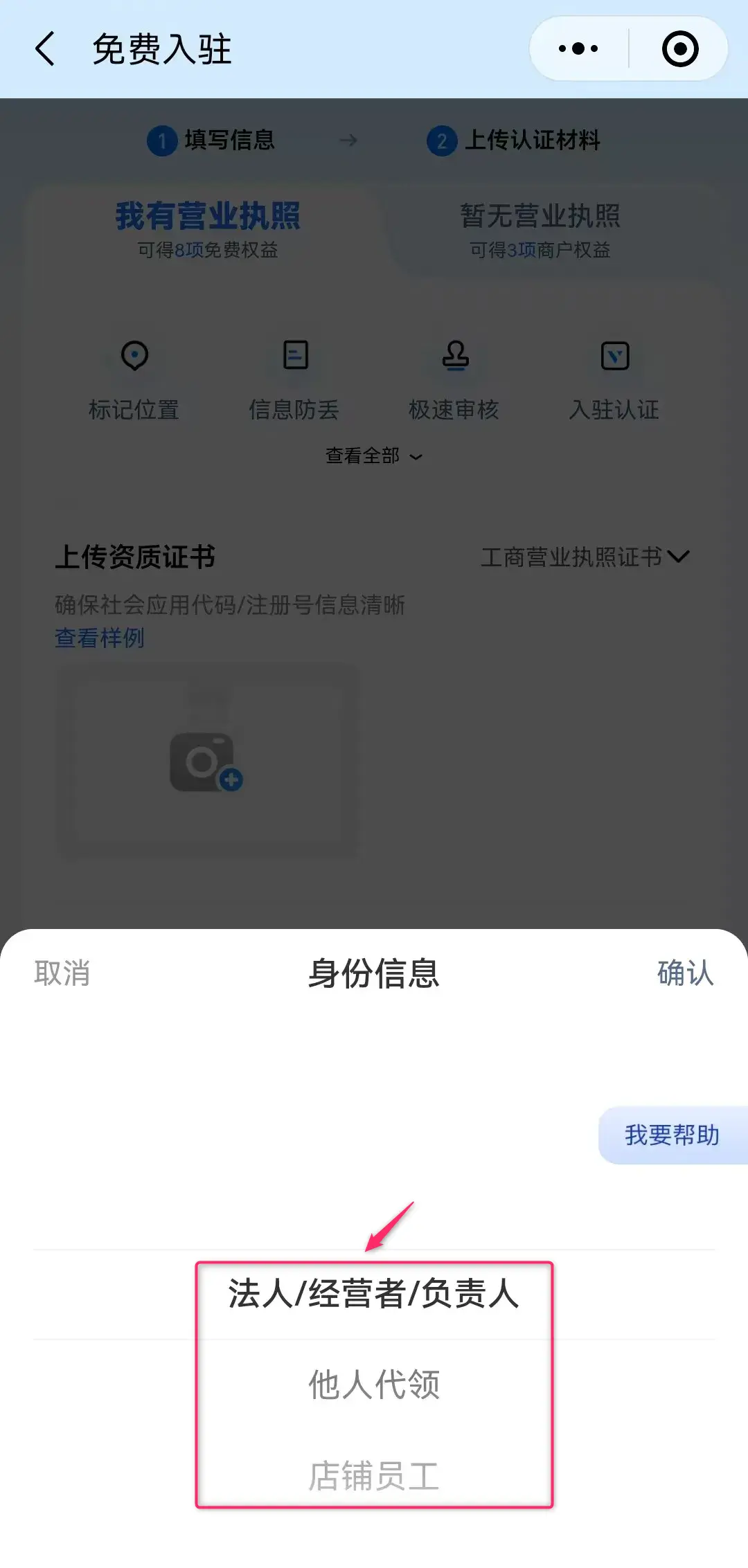
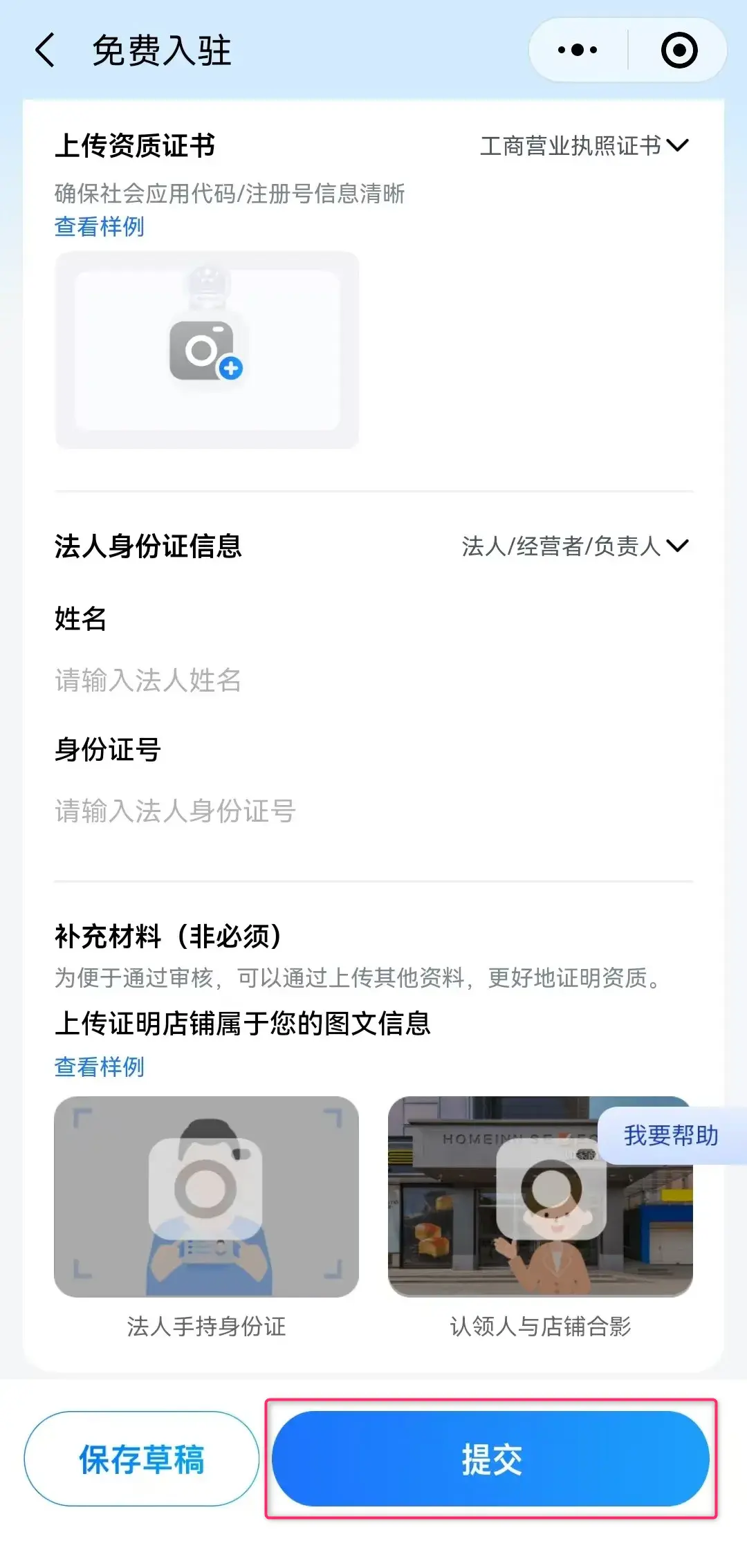
⑨ Tap “我有营业执照 (I have a business license)” in the upper-left tab, then enter and upload the following company information.
* On Tencent Maps, regardless of whether you choose “法人 (Legal representative ) / 经营者 (Operator) / 负责人 (Responsible person”, “他人代领 (Authorized representative)”, or “店铺员工 (Store employee)” as the registration method, you are required to enter and upload a “Chinese ID number”.
⑩ Tap “提交 (Submit)” and wait about 1 to 2 days. Your company’s location information will then appear on Tencent Maps.
The PC version (web browser version) of Tencent Maps no longer accepts new store or company information updates, so information may not be searchable or displayed on the PC version.
(Additionally, already registered store or company information will no longer be synchronized or updated going forward)
Therefore, newly registered merchant and enterprise profiles on Tencent Maps can currently be searched and displayed only on mobile devices.
* Information is as of August 2026. Please refer to the official documentation for detailed specifications and the latest information on each service.
* The registration methods described in this article are for the “China domestic versions” of each map app. International versions (such as Amap Global, etc.) may have different registration requirements and procedures.
* Although we have conducted our own research and verification, the actual operation screens and procedures may differ depending on your smartphone or app environment.
| Website Development | https://beyond-shenzhen.cn/en/service/website |
| B2B EC Site Development | https://beyond-shenzhen.cn/en/service/ec-site |
| China Market Entry Solutions | https://beyond-shenzhen.cn/en/service/china-market-entry |
For Website Development & WeChat Solutions
▼ WeChat Official Enterprise Account ▼

▼ Contact Inquiry Desk on WeChat ▼


 WeChat Official Account
WeChat Official Account
WeChat Inquiry Desk




 【2026】Public Holiday Calendar for China, Japan, & Singapore